
Proven Talent Show Production Workflow for Broadcast
The talent show production workflow combines casting, rehearsals, creative departments, and live broadcast execution. While the structure of talent formats is well understood, the production behind them is often complex and time-sensitive.
This article looks at how talent shows are produced in practice, where coordination typically becomes difficult, and how more connected production systems can help teams manage that complexity more efficiently. It is part of a ten-part series on modern entertainment production, published alongside a Nordic broadcaster’s sixth season of producing the 2026 Eurovision qualifier on Dramatify.
How talent show production is structured
Most talent formats follow a consistent progression. Auditions introduce participants. Selection rounds narrow the field. Later stages focus on performance-driven episodes that often culminate in live broadcasts. This structure is consistent across many formats, such as The Voice and similar competition shows.
From a planning perspective, this gives a clear foundation for the talent show production workflow. Each phase has known requirements, timelines and production needs. However, the coordination required to move between these phases is where complexity increases.
Where pressure builds in the workflow
The challenge in talent show production workflow is not understanding what needs to happen, but coordinating how and when it happens.
Each stage introduces new variables:
- auditions involve large numbers of participants
- middle phases require detailed rehearsal and creative planning
- live shows depend on precise timing and coordination
As productions move closer to live broadcast, the margin for error becomes smaller. Decisions that could previously be adjusted in post-production must now be correct in real time.
Coordinating creative departments
Talent shows rely on several creative departments working simultaneously. Each performance may require coordination across:
- song selections
- performance development
- set design
- wardrobe
- makeup
- lighting
- stage direction
Changes in one department often affect others. Without a shared structure, coordination depends on manual updates and communication between teams. A structured talent show production platform can support this coordination by connecting planning, scheduling and execution in one place, helping departments stay aligned without adding additional layers of communication.
Managing contestants and rehearsals
Scheduling is one of the most demanding parts of any talent show production workflow. Production teams must coordinate:
- artistic director and choreographer availability
- contestant availability
- rehearsal schedules
- stage access
- technical setup
Even small scheduling conflicts can affect multiple departments and delay production. This is where talent show production software provides practical value. By connecting cast schedules, crew planning and production timelines, teams can reduce manual coordination and respond more effectively to changes.
Transitioning into live broadcasts
Many talent formats move from recorded episodes to live broadcasts in their final stages. This transition significantly changes the production workflow. Recorded episodes allow for post-production adjustments. Live shows require the production to operate as planned, without the same level of flexibility.
At this stage, the talent show production workflow depends on alignment between editorial planning and execution. Structured rundowns or production plans define the show’s sequence and timing. When these are aligned with scheduling and creative departments, the production becomes easier to manage under pressure.
A real-world example: national talent show production
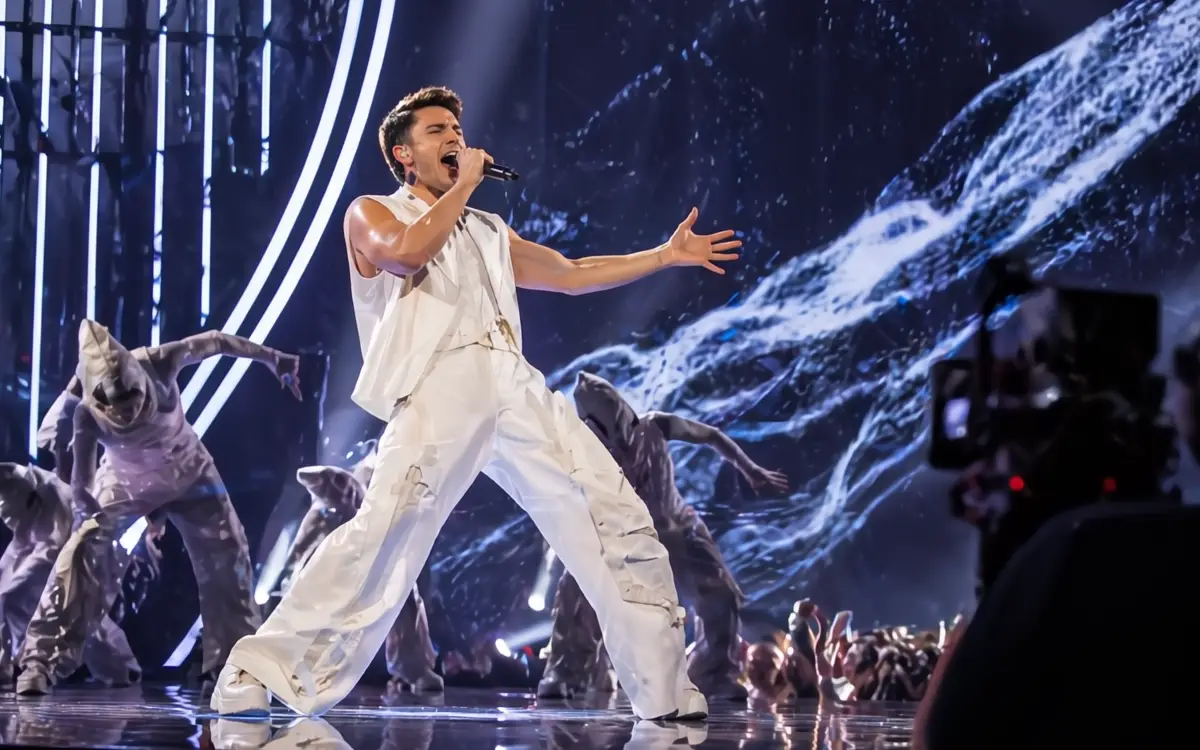
A clear example of this complexity is UMK (Uuden Musiikin Kilpailu), Finland’s Eurovision qualifier. UMK is produced as a live national broadcast with performances, voting and a large-scale stage production. It combines elements of both talent competition and live event production, making it one of the more demanding types of talent show production workflow. The production has been run using Dramatify for the sixth season.
In this setup:
- Dramatify holds production management, planning, episode planning, rundowns, cue cards, and teleprompters
- SPX Graphics handles graphics playout based on content prepared in Dramatify
- CuePilot is used for live execution, including directing cameras, lighting, pyro, and stage cues
Graphics added in Dramatify are to SPX and then triggered from CuePilot alongside other live cues. This makes it possible to direct the full show — including graphics, lights and pyro — from CuePilot, while maintaining a single editorial and planning structure in Dramatify. The systems operate side by side, each focusing on a specific part of the workflow without fragmenting control.
The role of production systems
The complexity of talent shows does not come from the format itself, but from how production is coordinated. In many cases, planning, scheduling and execution still happen across multiple disconnected tools. This often leads to duplicated work and additional coordination effort.
Integrated production systems aim to reduce this by connecting:
- planning and format structure
- scheduling of cast and crew
- production elements such as rundown scripts
When these elements are connected, the talent show production workflow becomes more predictable and easier to manage. A modern talent show production platform supports this by providing a shared structure across departments, helping both production teams and operational leadership maintain alignment.
The difference between structured and fragmented workflows
Talent formats may appear familiar to audiences, but their production requires continuous coordination across people, departments and timelines. An efficient talent show production workflow does not remove that complexity, but it can reduce the friction around it.
As productions move towards live broadcast, the difference between structured and fragmented workflows becomes increasingly visible. Contact us for a demo of a modern, efficient and proven production platform for your next talent show!
Other articles in the series
- AI Show Development That Drives Commission Wins
- Entertainment Production Workflows Beyond Spreadsheets
- Why Digital Entertainment Rundowns Don’t Break Live
- The Innovative Shift in Live Entertainment Rundowns
- 5 Proven Eurovision Qualifier Production Lessons
- 5 Powerful Entertainment Rundown Templates That Scale Shows
- Proven TV Format Production That Cuts Costs at Scale
0 Comments