The Innovative Shift in Live Entertainment Rundowns
Live entertainment does not fail because of planning or creativity. It fails when control fragments during execution. Integrated rundowns, graphics, cue cards and cues keep content accurate and aligned under live pressure.
This article about live entertainment rundowns is part of a six-part series on modern entertainment production, published alongside a Nordic broadcaster’s sixth season of producing the 2026 Eurovision qualifier on Dramatify.
Live execution is a different phase
Planning and rehearsal are about preparation. Live broadcast is about control.
When a show goes live, decisions become irreversible. Timing changes cannot be postponed. Content updates must be correct immediately. Scripts, graphics and cues must follow the same editorial intent without hesitation. This is the moment where even well-planned productions can lose coherence.
Why “almost right” is no longer acceptable
In live entertainment, small inconsistencies have visible consequences. A mismatched lower third, an outdated cue card, or incorrect presenter text undermines trust instantly. Manual copy-paste workflows increase the risk of human error precisely when time pressure is highest.
Control in live production is not only about speed. It is about correctness.
Live entertainment rundowns as the on-air control backbone
Under live conditions, the rundown stops being a reference document. It becomes the operational backbone of the broadcast. Timing, segment order, scripts, cue cards and teleprompter content must remain aligned as changes happen in real time.
When that alignment breaks, teams fall back on verbal coordination and memory. At scale, that approach does not hold.
Automatic cue cards from the live entertainment rundown
In live entertainment, cue cards remain a critical tool. They are used by presenters, performers and stage teams to stay oriented as timing and content change. Traditionally, cue cards are prepared manually, printed early and updated by hand as the show evolves.
Digital live entertainment rundowns allow cue cards to be generated automatically from tagged rundown content. The same approved text that drives the rundown can be turned into cue cards in the preferred paper size, font selection, and font size without retyping or reformatting.
These cue cards can be printed for studio use or displayed on screens backstage and on set. Because they are generated directly from the rundown, updates remain consistent even when changes occur late in the process. This removes a common source of last-minute confusion and manual error.
Why graphics are part of editorial control
Graphics are not an afterthought in entertainment production. They carry names, titles, scores, voting information and context. In live shows, they must reflect the current editorial state exactly. This is where integration becomes critical.
By integrating graphics directly with the live entertainment rundown and content planning, production teams remove an entire class of errors.
With Dramatify’s integration with SPX Graphics, content written and approved in Dramatify can be loaded into graphics playout in seconds. There is no manual copy-paste, no parallel versioning, and no uncertainty about which text is current. Not only can series productions save on labour costs, but it also ensures correctness, control and efficiency at the moment when pressure is highest.
Live execution with CuePilot
In larger or more complex productions, live execution is often handled using a dedicated cueing system.
When used together with CuePilot, Dramatify remains the source of truth for planning, editorial content, rundowns, cue cards and teleprompter output, while CuePilot manages the live shot list and execution cues.
SPX graphics can be fired from CuePilot, ensuring that on-screen output follows the same approved content used throughout planning. The systems run side by side, each focused on what they do best, without fragmenting control.
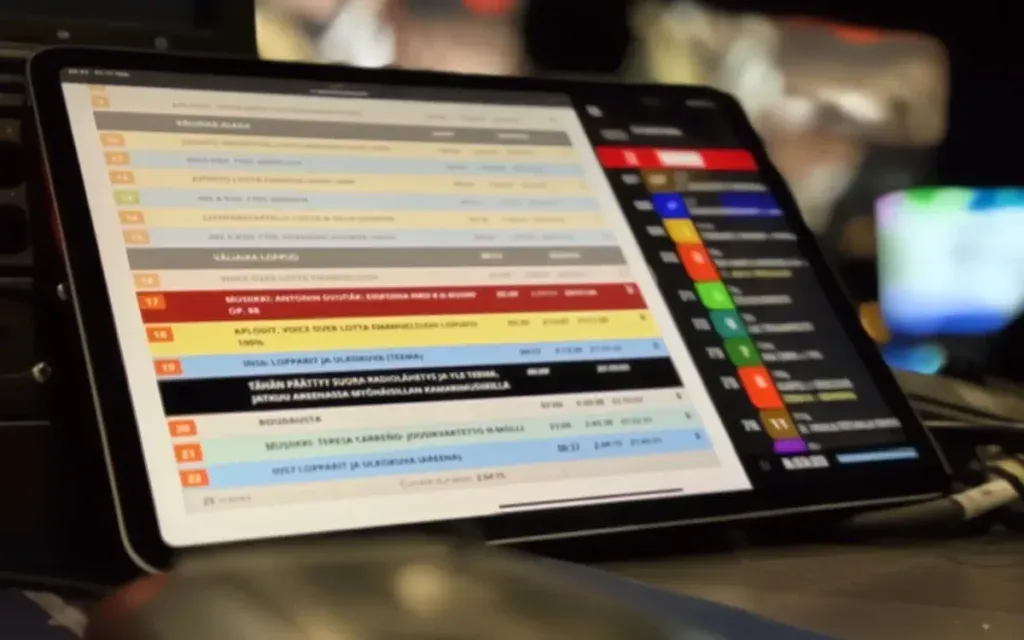
An example of Dramatify’s live entertainment rundowns and CuePilot’s shot list vision mixer in a live broadcast side-by-side.
Teleprompters driven from the live entertainment rundowns
Teleprompters are another point where inconsistency can creep in under pressure.
When presenter scripts are copied manually into teleprompter systems, late changes risk being missed or misaligned with the rundown.
By driving teleprompters directly from tagged rundown content, scripts stay consistent with the live running order. Content can be delivered through standard broadcast integrations such as MOS, AutoScript, or AutoCue, or manually downloaded and uploaded to the teleprompt system.
Depending on production needs, teleprompter content can be synchronised automatically in the studio or downloaded for local use, without breaking editorial control.
Why this matters at scale
As entertainment productions grow in size, the cost of lost control increases.
More contributors, more graphics, more cue cards and more parallel outputs amplify the impact of even minor mistakes. National-scale broadcasts and multi-platform productions leave no margin for manual workarounds. Integrated systems make it possible to handle that complexity without increasing risk.
Why implement Dramatify’s live entertainment rundowns now
Live entertainment will always involve uncertainty.
The difference between confidence and chaos lies in whether control holds when pressure peaks. By keeping live entertainment rundowns, cue cards, graphics and teleprompters tightly connected, production teams can absorb live changes without losing accuracy or intent.
Next: Book a demo or see how the workflow fits into your productions.
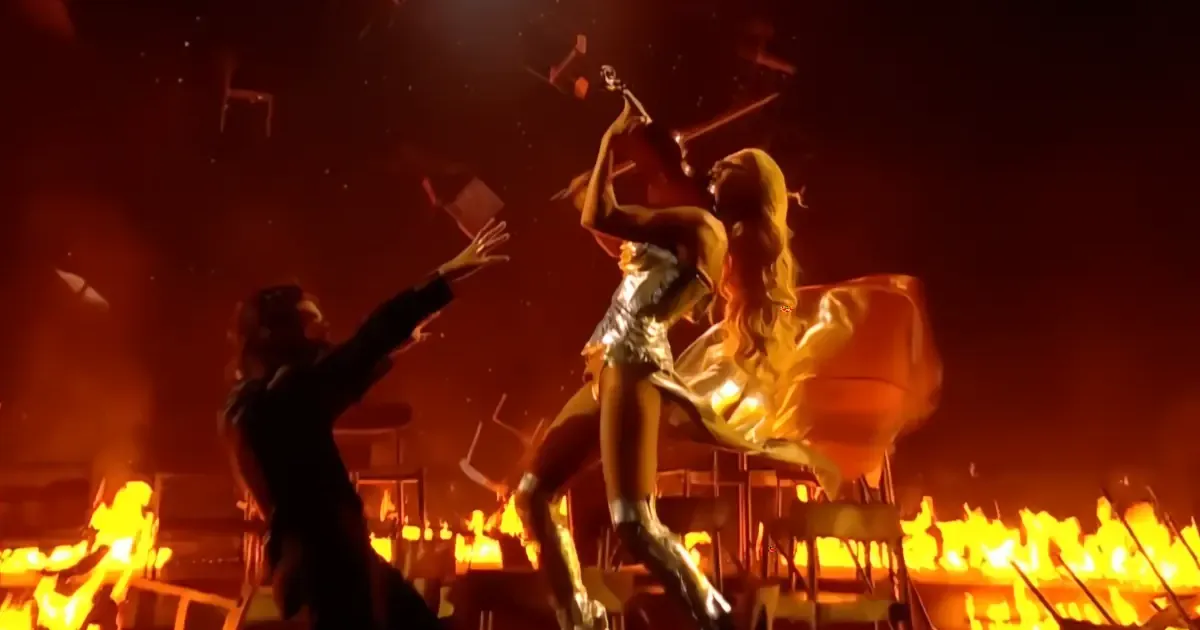
Image: The Eurovision qualifier in Finland, UMK finale, with the winners Linda Lampenius & Pete Parkkonen. / yle broadcast.
Other articles in the series
 1
113 Feb 2026
AI Show Development That Drives Commission Wins
 2
217 Feb 2026
Entertainment Production Workflows Beyond Spreadsheets
 3
324 Feb 2026
Why Digital Entertainment Rundowns Don’t Break Live
 4
43 Mar 2026
The Innovative Shift in Live Entertainment Rundowns
Reading now 5
56 Mar 2026
5 Proven Eurovision Qualifier Production Lessons
 6
613 Mar 2026
5 Powerful Entertainment Rundown Templates That Scale Shows
 7
715 Apr 2026
Proven TV Format Production That Cuts Costs at Scale
 8
825 Apr 2026
The Powerful Talent Show Production Workflow Behind Hit Formats
 9
99 Jul 2026
Inside Reality Show Production Workflows