Entertainment Production Workflows Beyond Spreadsheets
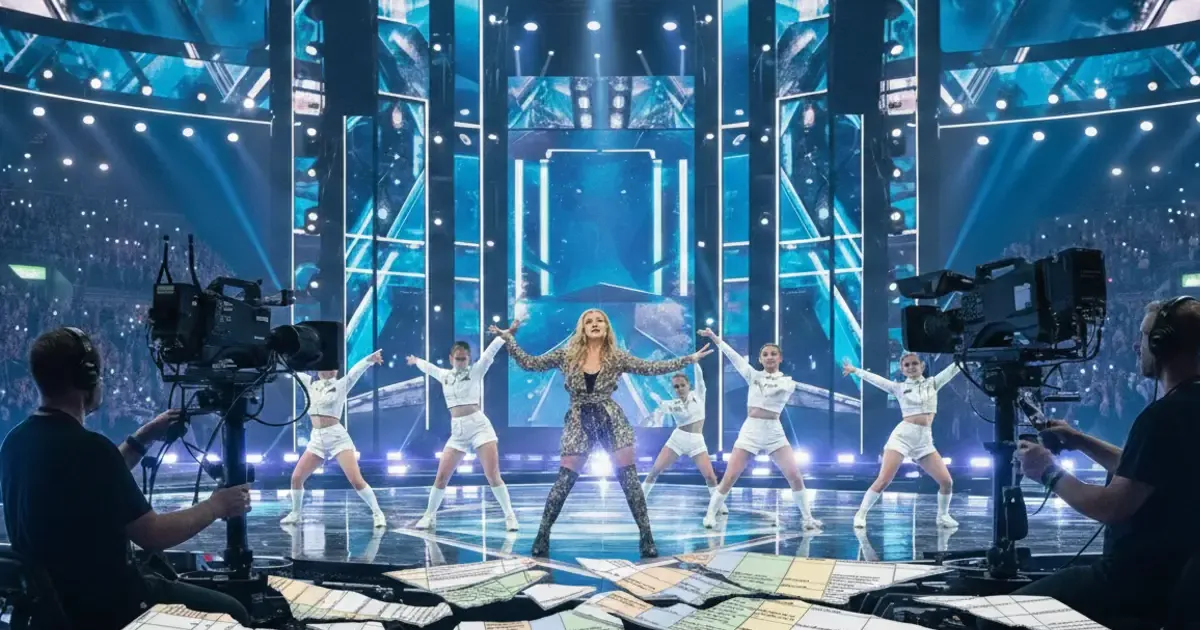
Entertainment production workflows break down when planning, content, and changes are managed in separate tools. Modern productions require a connected system that keeps development, scheduling and live execution aligned as shows evolve.
This article is part of a six-part series on modern entertainment production, published alongside a Nordic broadcaster’s sixth (2026) season of producing the Eurovision qualifier on Dramatify.
Entertainment production is not a straight line
Entertainment shows rarely move from idea to broadcast in a simple sequence. They evolve. Scripts change. Segments shift. Guest availability moves. Rehearsals expose timing issues. Editorial priorities adapt. And all of this happens before and during production.
An entertainment production workflow must handle this constant motion without losing control.
Why spreadsheets became the default for entertainment production
For many teams, spreadsheets and shared documents have become the default workflow tools not only because they are flexible and familiar, but also because alternative newsroom systems are not adapted to entertainment and are difficult to learn when used intermittently.
Rundowns live in one place. Long-term planning in another. Daily schedules in a third. Breakdowns, props, wardrobe and graphics lists on someone’s computer. Updates are communicated via email and phone.
At small scale, experienced teams compensate for this fragmentation. At larger scale, the cost of coordination rises quickly.
Where the entertainment workflow starts to fracture
The real problem is not that documents exist. It is that they are disconnected.
When editorial changes are made, they must be manually reflected across all planning and scripting assets. When rehearsal timing shifts, someone must update multiple files. When production expands across teams or locations, visibility drops. Each individual update may be small. Together, they create risk.
An entertainment production workflow must connect planning and execution
A modern entertainment production workflow is not simply a better schedule. It connects development material, episode structure, rundown logic, scheduling and production resources in one environment. Changes made in one place are visible where they matter.
This does not remove creative flexibility. It supports it.
From development to broadcast without resetting
One of the biggest inefficiencies in entertainment production is the reset between phases. Development documents are created. Then production planning begins separately. Then, the rundowns are restructured for rehearsal and broadcast. For large productions, everyone manually captures notes in their own printed copies. Each stage reworks existing work in some form. Each note creates a risk.
When the entertainment production workflow lives in a single system, development materials can evolve directly into structured plans and outlines. Work is carried forward rather than duplicated.
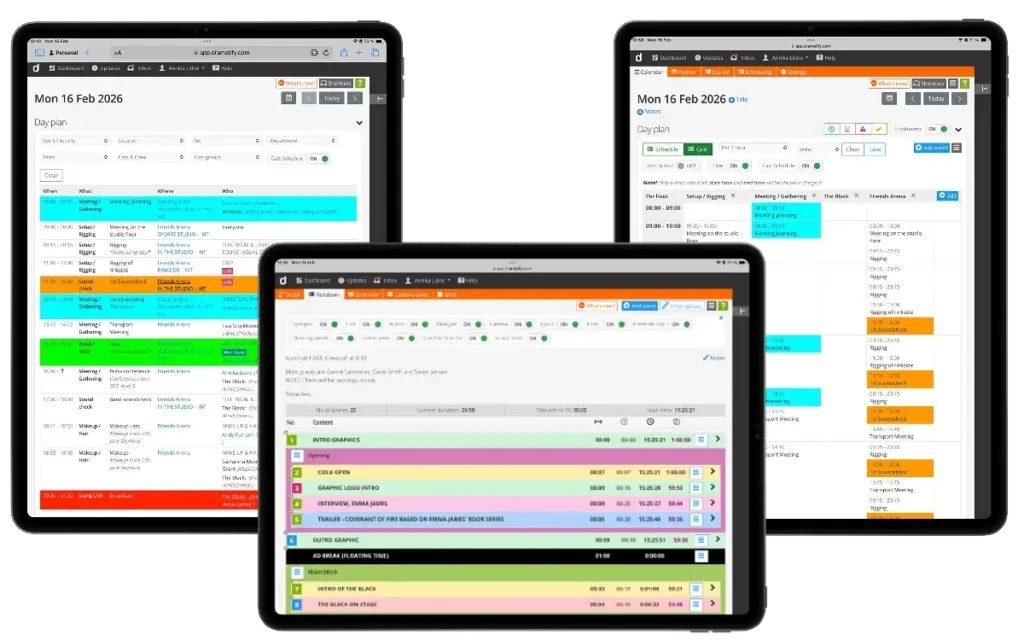
Entertainment production workflow in Dramatify, showing entertainment rundown, daily schedule and production schedule for a TV show.
Supporting distributed teams
Entertainment productions are increasingly distributed. Writers may work remotely. Editorial teams may be in one location, technical teams in another. Live segments may be produced on-site, while other parts are pre-produced elsewhere.
An effective entertainment production workflow must work wherever production happens. Planning, content and execution logic must be accessible and aligned across roles and locations.
Why this matters commercially
Entertainment production is under economic pressure. Budgets are tighter. Competition for slots is stronger. Teams are asked to produce more output with the same or fewer resources.
A fragmented workflow increases coordination cost, slows reaction time and introduces avoidable risk. A connected workflow reduces friction, shortens preparation time and increases confidence during live execution.
The entertainment production workflow is not about software preference. It is about protecting editorial intent as it moves from development to planning to live broadcast. When planning, content and execution are connected, entertainment productions can evolve quickly without losing control.
Other articles in the series
 1
113 Feb 2026
AI Show Development That Drives Commission Wins
 2
217 Feb 2026
Entertainment Production Workflows Beyond Spreadsheets
Reading now 3
324 Feb 2026
Why Digital Entertainment Rundowns Don’t Break Live
 4
43 Mar 2026
The Innovative Shift in Live Entertainment Rundowns
 5
56 Mar 2026
5 Proven Eurovision Qualifier Production Lessons
 6
613 Mar 2026
5 Powerful Entertainment Rundown Templates That Scale Shows
 7
715 Apr 2026
Proven TV Format Production That Cuts Costs at Scale
 8
825 Apr 2026
The Powerful Talent Show Production Workflow Behind Hit Formats
 9
99 Jul 2026
Inside Reality Show Production Workflows