Replacing spreadsheets in sports production: where mistakes actually happen
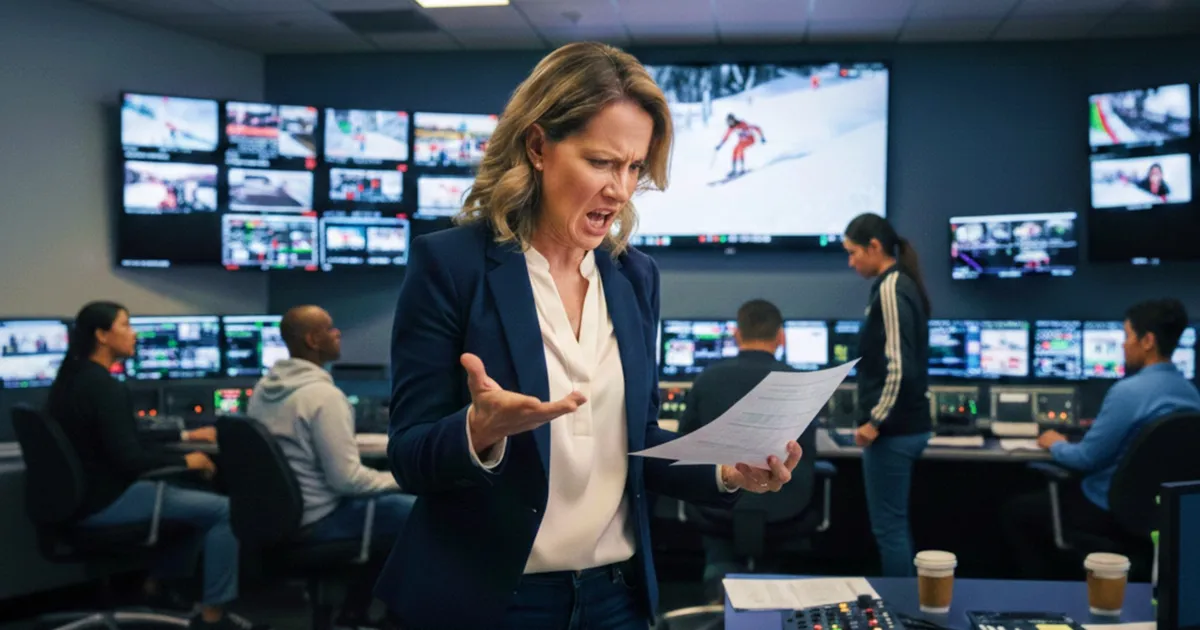
When spreadsheets become sports production rundowns, execution quietly drifts from planning and reality. At scale, that drift turns live edits into mistakes that surface too late.
This is the third in a four-part series on modern sports production, published in connection with a Nordic broadcaster’s 2026 Winter Olympics production on Dramatify.
In many sports productions, the rundown still lives in a spreadsheet. Not because anyone believes this is the best solution, but because spreadsheets have quietly become the most adaptable tool when existing systems stop reflecting production reality. They are easy to duplicate and adjust, and familiar to everyone involved in live production.
Understanding the importance of effective sports production rundowns is crucial for a smooth broadcast. That convenience is also where the risk begins.
When sports production rundowns become documents instead of a system
At a small scale, spreadsheet rundowns can work surprisingly well. A single venue, a stable team, limited outputs, and short communication channels allow people to compensate for the tool’s limitations.
At large-scale events, those conditions no longer apply. Rundowns now represent live competitions, parallel sessions, changing editorial priorities, rights constraints and tight dependencies between editorial intent and technical execution. The rundown is no longer just an editorial guide. It becomes the operational spine of the entire production day.
Spreadsheets can describe that spine. They cannot carry it.
The separation between planning, rundowns and execution
In spreadsheet-based workflows, planning, scheduling and rundowns tend to drift apart. Production coordinators maintain one view of the day. Editorial teams work with each other. Technical teams rely on separate documents. Camera operators receive simplified extracts or last-minute instructions. Each view is optimised locally. None of them is fully connected and synced.
As long as nothing changes, this separation remains manageable. When something does change, coordination immediately becomes manual. A session runs long. A match outcome alters the editorial plan. A secondary feed suddenly becomes primary. Each change must be interpreted, communicated and re-applied across multiple spreadsheets and documents. The rundown still looks correct. The day plan still looks plausible. But they are no longer aligned in real time.
Why spreadsheet rundowns fail under live conditions
Live sports production does not fail because people make mistakes. It fails because systems cannot consistently absorb change.
A spreadsheet-based rundown cannot account for the fact that a change in content affects timing elsewhere. It cannot warn that a delayed match impacts set breaks or later programming. It cannot adapt when editorial priorities change in response to unfolding live sports results. It relies entirely on human intervention to stay coherent. Under pressure, that coherence becomes fragile.
Different teams start working from different interpretations of the same day. The question quietly shifts from “what is the plan?” to “which version are you looking at?”
In practice, spreadsheet-based sports production rundowns cannot adapt fast enough when live outcomes, timing and priorities change simultaneously.
How Dramatify changes the role of the sports production rundown
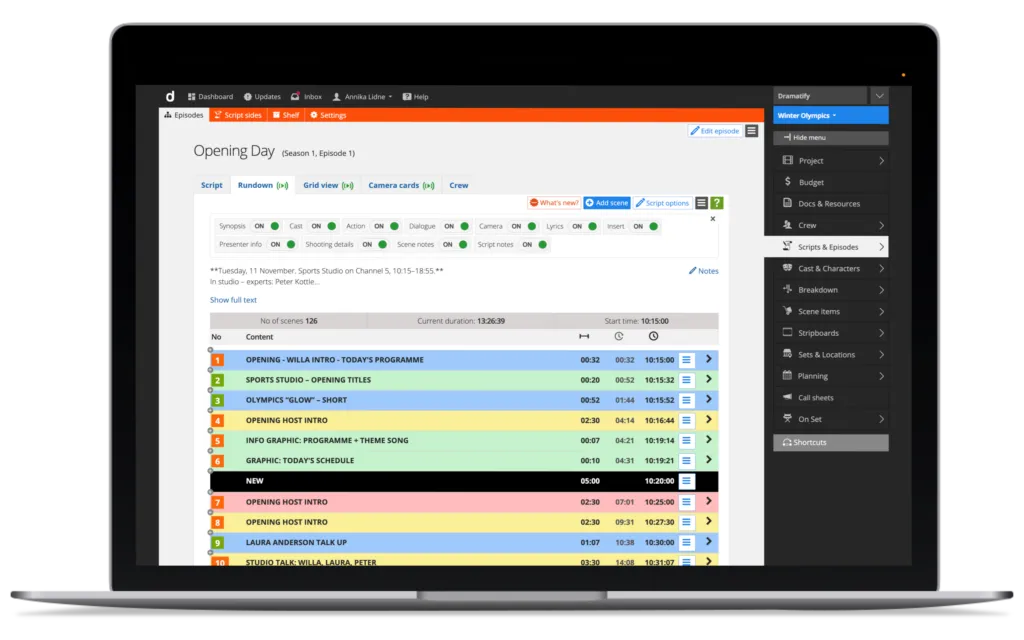
In Dramatify, sports production rundowns are no longer standalone documents. They exist within the same production system as planning and scheduling, yet are viewed differently by different users.
Production coordinators see the full operational picture, including timing, dependencies and resource implications. Reporters and editorial teams work from a content-focused view that reflects what is live, what is coming next, and what may change based on outcomes. Technical teams see the same rundown through a technical lens, aligned with feed flows, shots and audio. Camera operators access a simplified, camera-relevant view that reflects what they need to cover and when.
These are not separate rundowns. They are different views of the same underlying production reality, keeping the sports production rundowns and workflows aligned across roles without duplicating information.
Running the live broadcast from the same system
Because Dramatify’s sports production rundowns are connected to sessions, timing and production structure, Dramatify can be used directly to run the live broadcast regardless of whether it’s a studio production, at a stadium or on a ski slope.
When match outcomes change editorial priorities, the rundown adapts for everyone with live sync on their device. When timing shifts, downstream elements adjust. When content needs to be reordered or extended, the change happens in one place and becomes visible everywhere. This does not eliminate editorial decision-making. It removes the need to manually reconcile those decisions across disconnected tools while live production is already underway.
On-the-fly changes without version drift
One of the most common failure points in spreadsheet-driven production is the moment when change accelerates. Late in the day, under live conditions, updates happen faster than documents can be synchronised. The result is not chaos, but quiet divergence.
In Dramatify, changes are made to the production model itself, not copied between files. There is no need to ask which rundown is current, because there is only one. Different teams see that reality through different lenses, but they remain aligned. This is where many mistakes are avoided without anyone noticing.
Optional AI support where it actually helps
In live sports production, AI is rarely useful for replacing human judgement. Where it can help is in reducing friction.
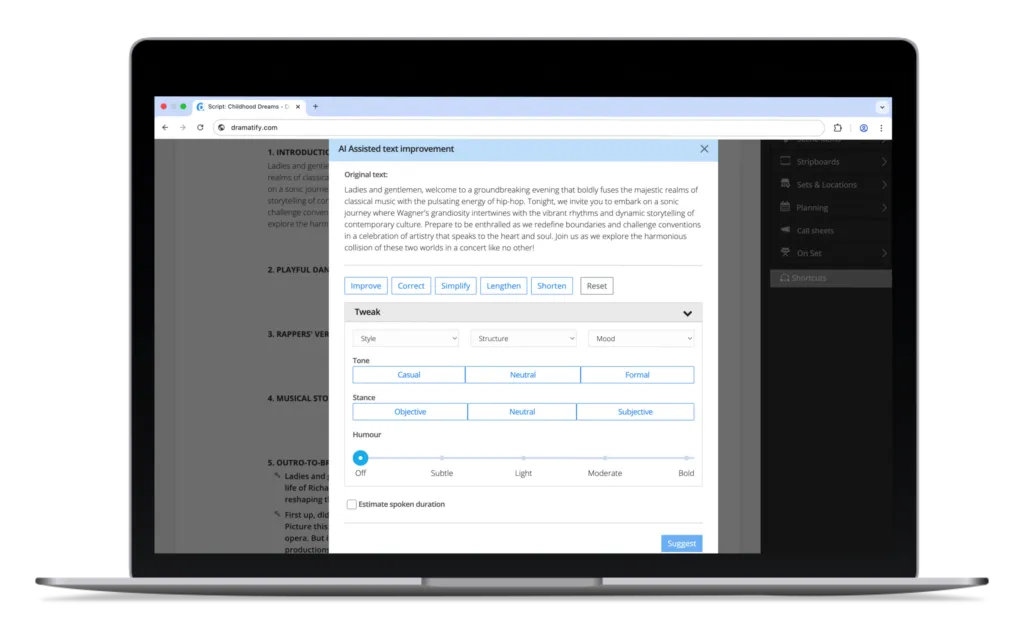
In Dramatify, optional AI support can assist hosts and anchors with content preparation, phrasing and adjustments as the live situation evolves. When outcomes change or segments are restructured, AI can help adapt supporting text quickly, without disrupting editorial control. Used this way, AI does not drive the production. It supports the people who do.
Why this matters at scale
At the Olympic or world-championship scale, production does not fail because plans change. It fails because change is absorbed unevenly.
Spreadsheet-based rundowns delay the moment when inconsistencies become apparent. By the time they surface, options are limited, and pressure is high.
Connected, integrated sport production rundowns shift the moment earlier, into planning and live coordination, where there is still time to act. That shift alone alters the reliability of live production.
Summary
Spreadsheets remain useful tools. But when they become the primary means of running live sports with rundowns, planning, and daily scheduling, they quietly introduce risk into the heart of production. Replacing them is not about software preference. It is about providing every role, from production coordinator to camera operator, with a shared, live view of the same event, and allowing the production system to absorb change before it results in failure.
At scale, reliable sports production rundowns must be live, connected and role-aware rather than copied between documents.
Other articles in the series
1. Planning Olympic-scale productions: how content is structured before crews arrive
2. Why sports production breaks newsroom systems the moment you leave the building
4. Why Innovation-Driven Sports Producers Scale with Confidence