Pre-Production
Plan every TV show, live broadcast, film, drama series and branded content production in one connected workflow
Planning Before the First Shooting Day
Pre-production is the phase between greenlight and the first shooting day, or the first live broadcast. Scripts are locked and broken down, budgets are set, crew and cast are booked, locations are secured and schedules are built. Mistakes made at this stage are expensive to fix later, on set, in the gallery or in post.
A drama series, a Saturday night talent show and a fortnight of Olympic coverage all go through pre-production. Script formats, team sizes and deadlines differ a lot between them.
Pre-Production Software Built for Production, Not Just Projects

Dramatify brings script breakdown, budgeting, resource booking, scheduling and rundowns, and much more into one connected system. Decisions made in pre-production flow straight into call sheets, time sheets and daily production reports, instead of being rebuilt in spreadsheets, emails and chat threads. This works the same way for a single production and for a broadcaster's full slate.
What Is Pre-Production?
Pre-production is the planning phase of a film, TV, video or broadcast production, from greenlight until shooting or live broadcast begins. Teams lock and break down the script or rundown, finalise the budget, book crew and cast, secure locations and build the schedules.
Pre-Production vs Production vs Post-Production
Every production moves through four main phases, from the first idea to the finished programme. Each depends on the one before it.
| Phase | What happens | Key outputs |
|---|---|---|
| Development | Ideas are shaped into a concept, format, treatment or script, financing or a commission is secured, and the project is pitched for a greenlight | Show concept or treatment, pilot script or format bible, budget estimate, financing plan or commissioning agreement, greenlight |
| Pre-production | Planning and preparation: script revisions, breakdown, budget, crewing, casting, scheduling, location scouting, creative department work, rehearsals | Locked script or rundown, budget, shooting schedule, cast and crew bookings, script breakdown, scene item and asset lists, creative department output such as set design and wardrobe, daily production schedules, call sheets, catering lists, |
| Production | Shooting, live to tape, or live broadcast | Footage, recordings, live broadcasts, time sheets, daily production reports |
| Post-production | Editing, sound, grading, graphics, VFX and delivery | The finished programme, film or video |
In practice, the lines blur. In film and drama, pre-production usually means weeks or months of preparation before the first shooting day.
In TV entertainment, sports and live broadcasting, it often runs alongside production itself: next week's show is planned while this week's goes to air.
A live sports broadcast has almost no post-production, while a drama series may already be editing episode one as pre-production continues on episode six. That is why information needs to flow freely between phases, rather than being handed over in a folder of documents.
The Stages of Pre-Production
No two productions follow exactly the same path, but most move through these stages. Many overlap, and on fast-turnaround TV they can all happen in the same week.
- Greenlight with a budget level
The project is approved, and it rarely arrives without a figure attached. In TV, this is usually the price agreed with the head of production, commissioning broadcaster or streamer, often within a tariff set for the genre. In film, it is the budget the financing plan supports. Pre-production turns that top-line figure into a detailed plan.
- Script or rundown lock
Drama scripts are revised until they are ready to shoot. Entertainment and live shows lock a rundown structure, even if the content keeps changing.
- Breakdown
Each scene or item is broken down into what it needs, such as characters, sets, locations, props, wardrobe, makeup, vehicles, assets, equipment, and effects.
- Production plan and rough schedule
A first production plan and rough shooting schedule show how many days, people and locations the production needs.
- Detailed budget
The breakdown and rough schedule feed a detailed budget that has to fit within the greenlit budget level.
- Crewing and casting
Heads of department, crew and cast are hired and booked.
- Locations, sets and creative departments
Locations are scouted and cleared, set design begins, and departments such as props, wardrobe, makeup and hair prepare what each scene needs.
- Final scheduling
The shooting schedule, production calendar and daily plans are locked.
- Rehearsals and the pre-production meeting
Cast rehearse, technical teams test, and department heads sign off the plan.
Pre-Production Looks Different in Every Format
Most pre-production guides are written for feature films. Real production companies and broadcasters juggle many formats at once, each with its own rhythm. Dramatify was built for production teams across all of them.
Film and Drama
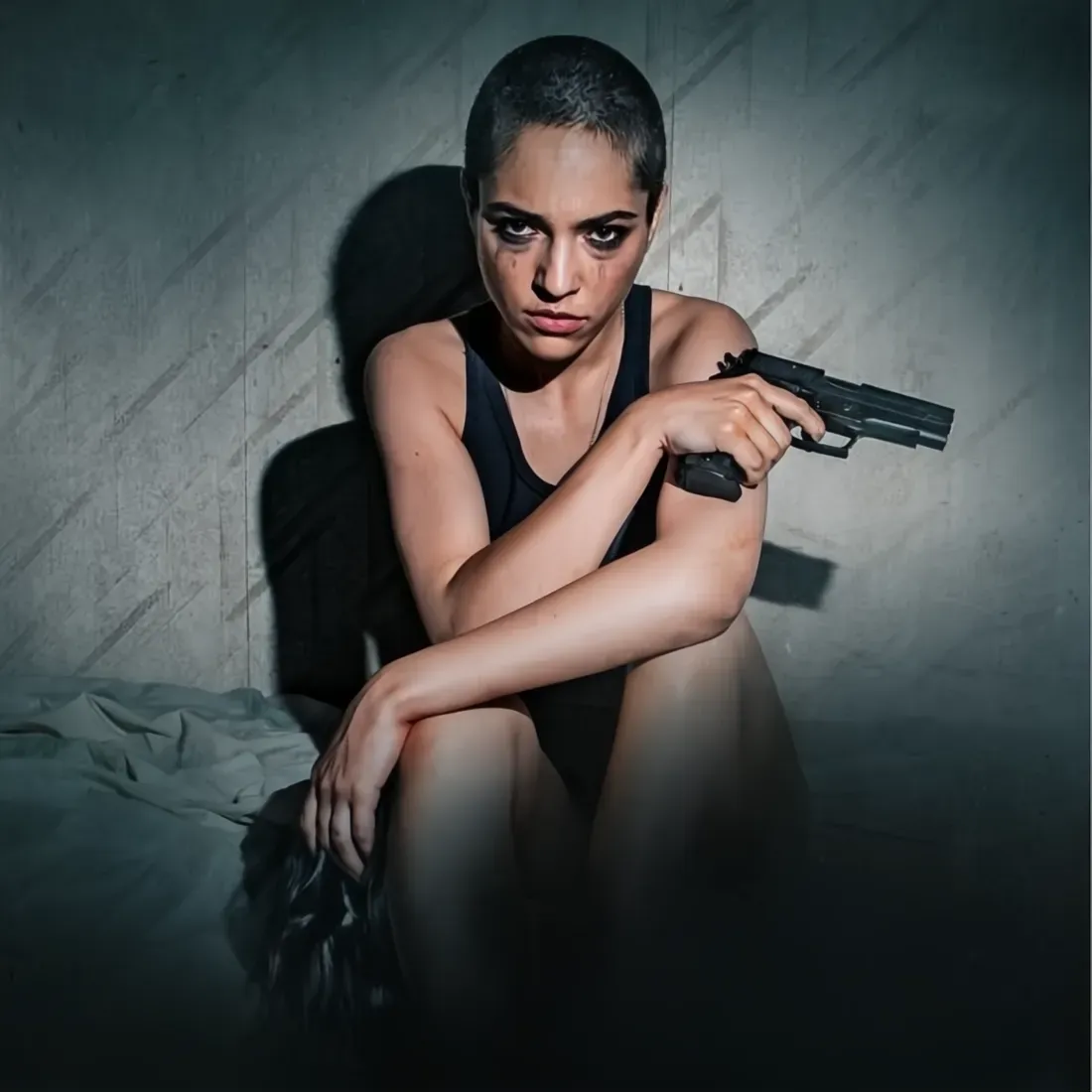
Drama pre-production revolves around the screenplay. Teams import or write the script, break down every scene, build stripboards and plan cast and scene item availability with Day Out of Days reports. Location scouting begins along with production design for art, photography, sets, wardrobe, makeup & hair, and more. Script revisions keep coming, so the schedule has to keep up.
Entertainment, Galas and Talent Shows
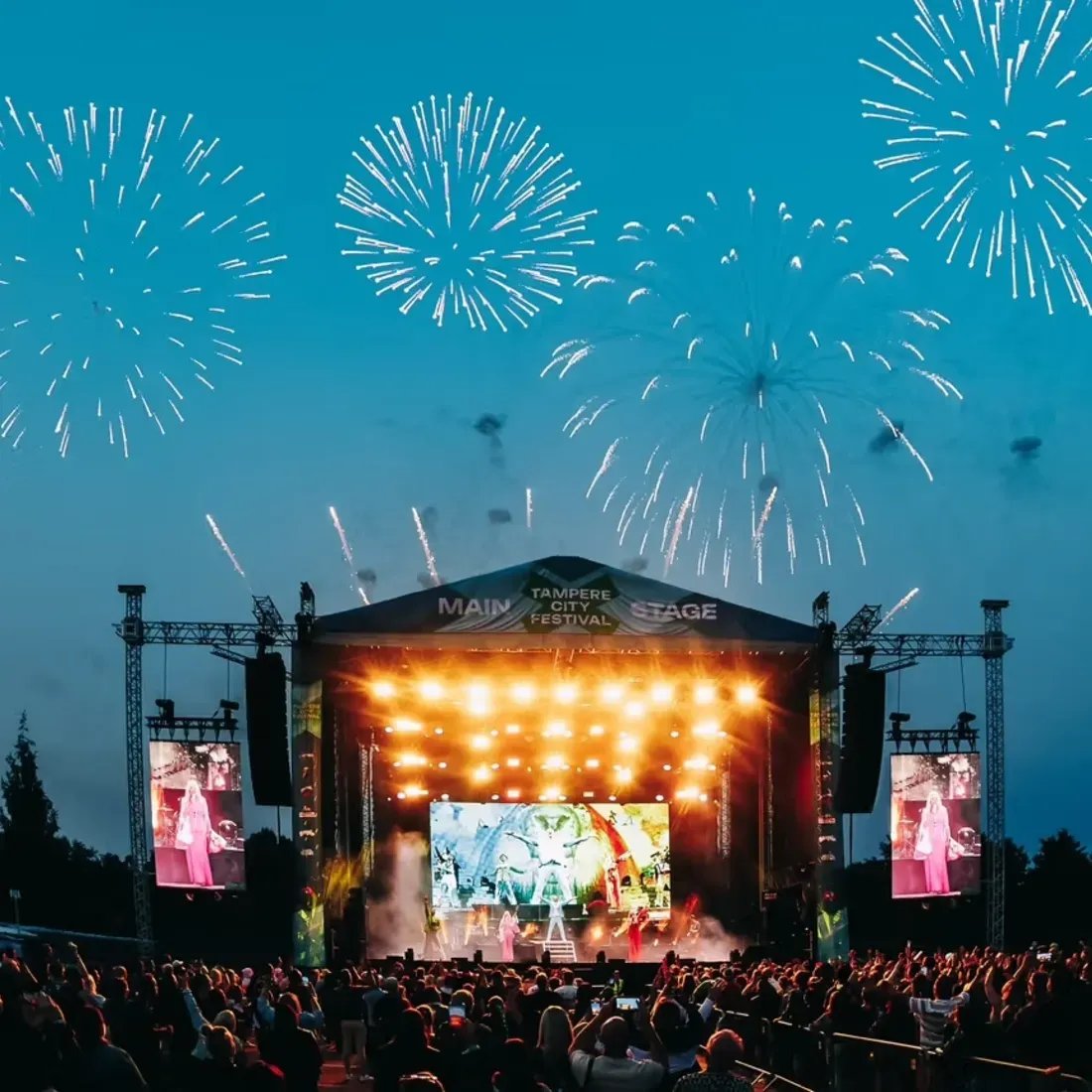
Entertainment shows rarely move from idea to broadcast in a straight line. Segments shift, guests and talent change and rehearsals expose timing issues. Pre-production here means building multi-camera rundowns, planning rehearsal days and coordinating large creative departments.

Live Sports and Events
For sports broadcasting, pre-production is about long-range planning of venues, crews, facilities and editorial content across days or weeks of coverage, often with teams spread across several locations, and sometimes continents.
Dramatify's Story Shelf is an editorial planner built for literally Olympic-sized content planning, where segments and blocks are planned, stored and moved between rundowns and days as the schedule shifts.
Talk Shows and Current Affairs
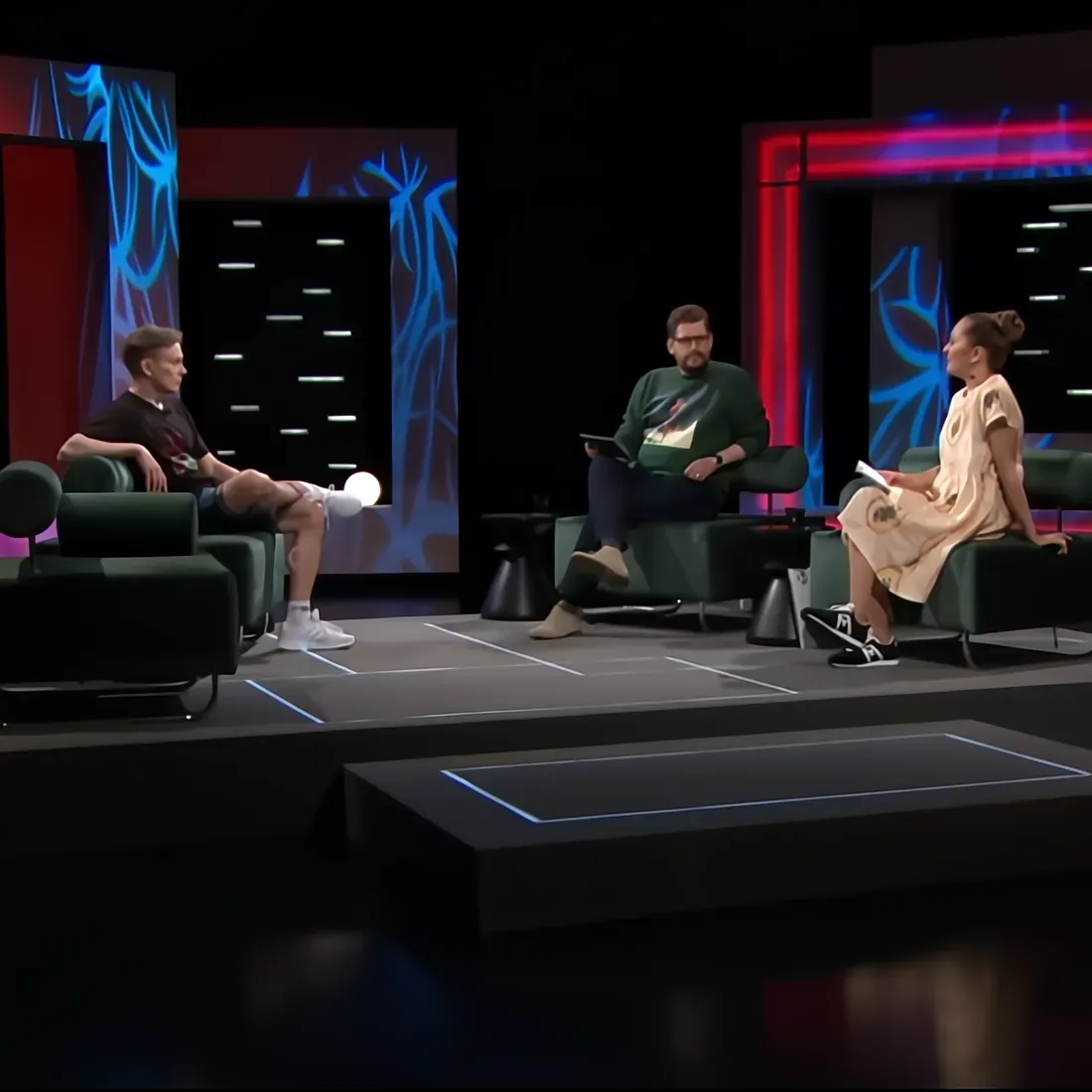
Daily and weekly shows compress pre-production into hours. Guest bookings, research, scripts and rundowns all have to be ready for the next broadcast, often with a remote editorial team.
Here too, the Story Shelf is key for editorial planning workflows and to move segments between rundowns as fast-moving crrent affairs affects rundown planning.

Factual and Documentaries
Documentaries and factuals may have no script at all when pre-production begins, or be meticulously scripted. Sometimes, content is built around existing archive material with preproduction of re-enactments, still photos and voice overs, or AI segments filling in the blanks. Planning focuses on story structure, contributors, locations, travel and access, with the flexibility to adapt once filming starts.

Children's Programmes
Kid's shows comes in many flavours, from straight-forward drama, entertainment and playful educational studio shows, to complex mixed content programmes. Working with children adds extra layers: chaperones, school hours, permits and strict limits on working time. These need to be built into the schedule (and software) from day one.

Commercials, Branded Content and Corporate Video
Short timelines and client approvals define pre-production for commercials. Image-based AV scripts and storyboards help agencies, clients and crews share one clear vision before the shoot, while rundowns make it easy to produce conferences and large shareholder events.
Script Breakdown: Where Planning Begins
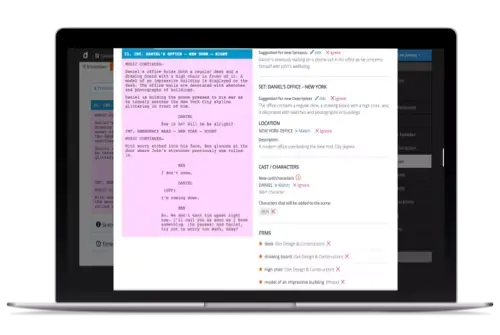
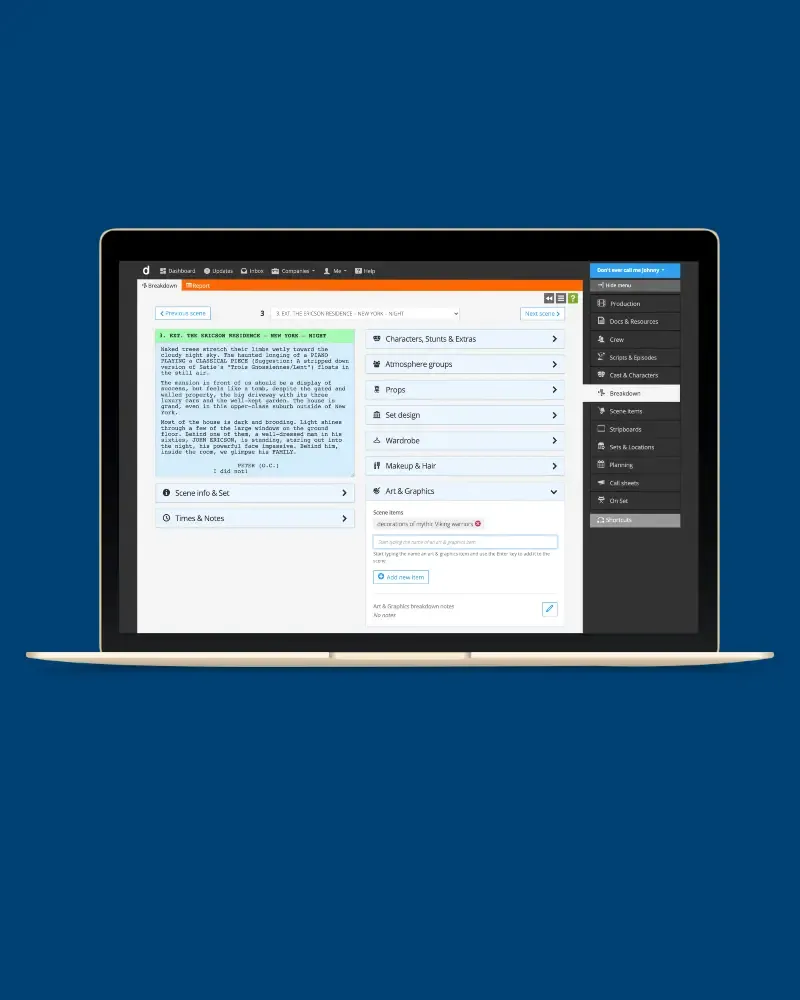
Production planning starts with the script breakdown. Dramatify supports breakdowns of drama screenplays, image-based AV scripts and multi-camera rundowns, listing what each scene or item needs.
Import your Final Draft (.fdx) drama script, or write directly in Dramatify in any of our three script formats. Tag characters, sets, locations, props, wardrobe, vehicles and more as scene items. Add timings, synopsises, and notes as needed.
With optional, secure AI Script Breakdown, Dramatify suggests the tags for you, and your team reviews, accepts or adjusts each one, speeding up the breakdown significantly.
Creative departments such as casting, props, wardrobe, makeup and hair and art can get partial access to the breakdown, restricted to their own inputs. This means that departments build on each other's work, creating an easy overview of the creative vision, instead of each department (or person!) bringing their own solution to breakdown.
Scheduling: From Helicopter View to Daily Plans
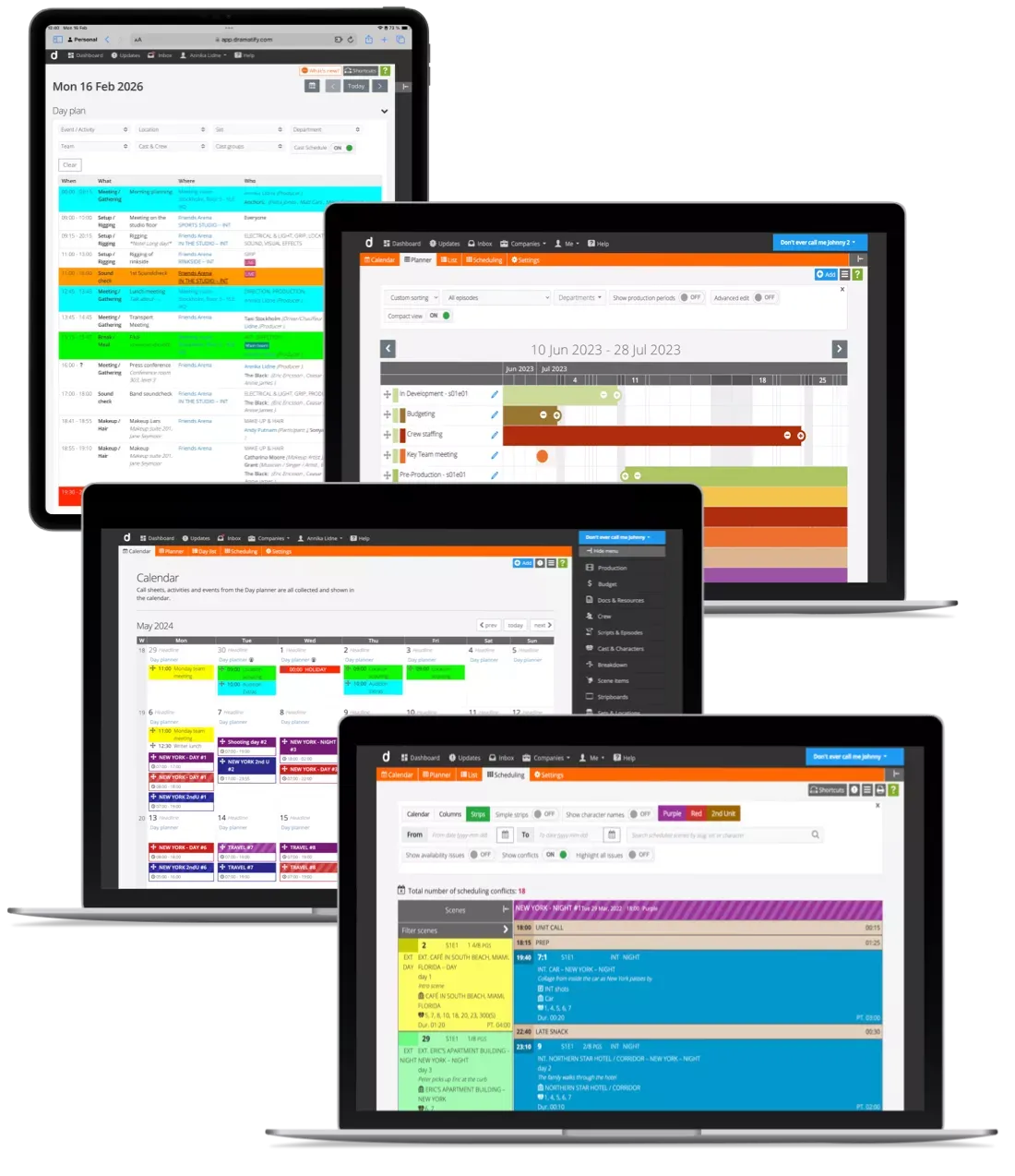
Scheduling starts earlier than many expect. A first production plan and rough shooting schedule usually come well before the final budget, because the number of shooting days, studio days and locations drives most of the cost. Dramatify's Production Scheduling Suite connects the plan at every level, from the season overview to single days.
The Production Planner is usually the first step. It gives a Gantt-style overview of timelines, dependencies, and production and broadcast dates, from development to finished project, whether that is wrap or sales and distribution. It helps to early on indicate whether the timeline fits the greenlit budget level.
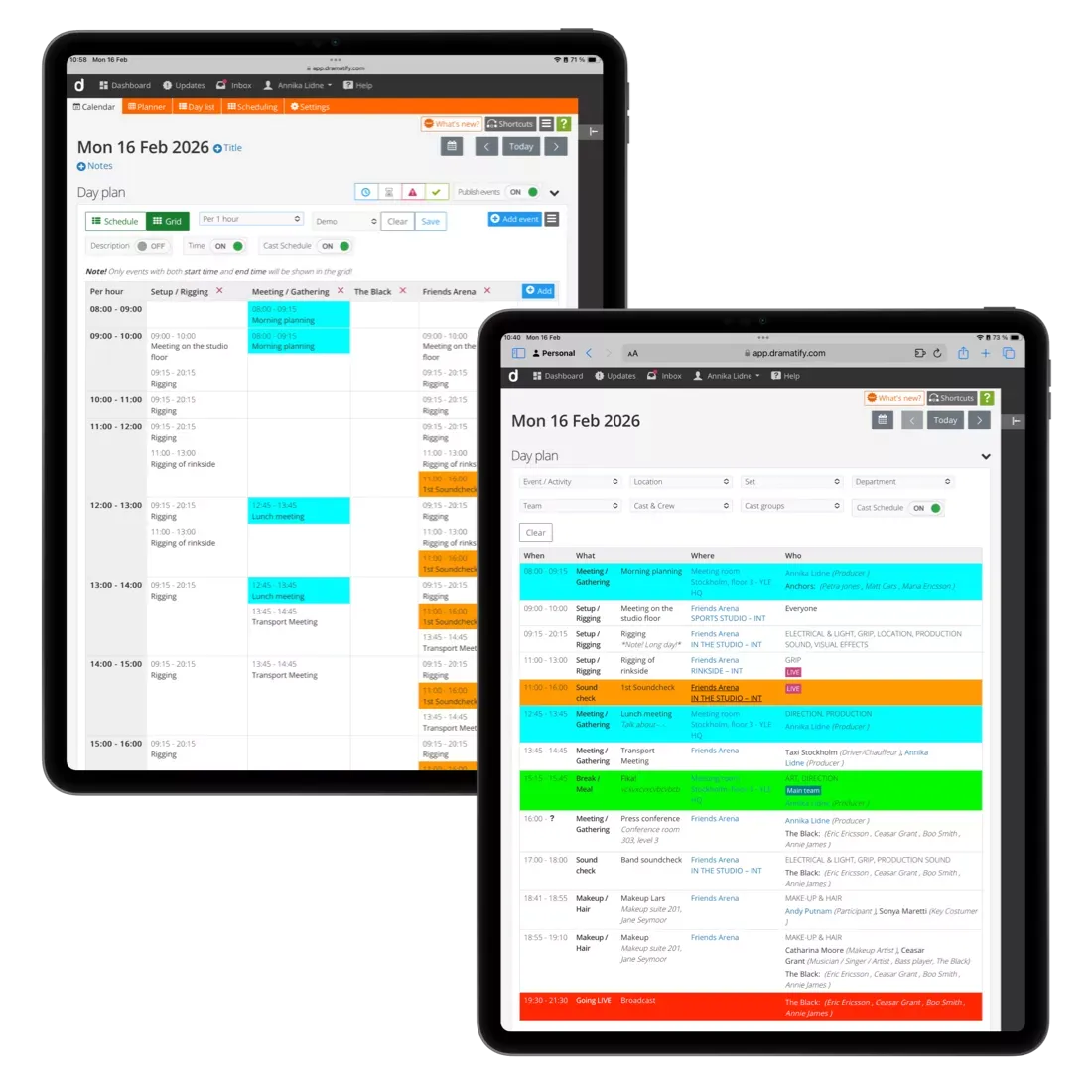
Shooting scheduling turns the breakdown into a rough schedule, which is refined as cast, locations and crew are confirmed. It has three views, a smart scene list, conflict detection, and bulk scheduling, and is integrated with cast Day Out of Days, booking sheets, running orders, call sheets, time sheets, catering lists, daily production reports, and more.
The Production Calendar shows shooting days, key events from the daily production schedule, and up to 5 call sheets per day (one per shooting team) in one place with optional custom headlines per day.
Daily production schedules, with the Day Planner and multi-day Day Lists, are the main scheduling tool for large non-fiction productions. For drama, they are ideal for meetings, prep tasks, rehearsals and recces, and can be used on their own or together with call sheets.
Budgeting in Pre-Production
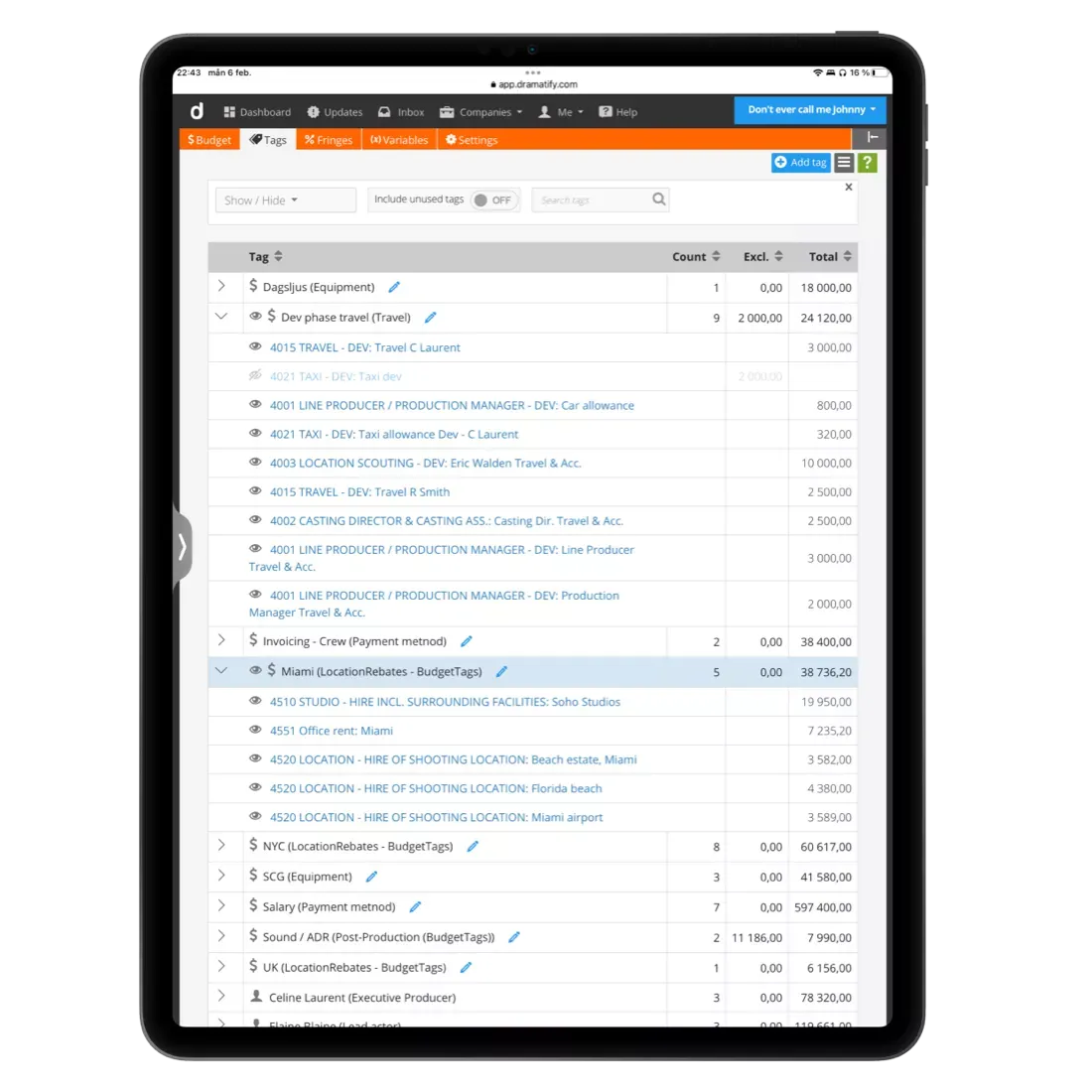
With the breakdown and a rough schedule in place, the greenlit budget level can be turned into a detailed budget. With Dramatify's production budgeting, you can import breakdown information such as departments, sets, locations, crew and cast straight into your budget.
Two features save budget teams the most time. Custom budget tags (a k a 'groups') give instant cost summaries across accounts, for overviews that would otherwise need manual work, such as tagging locations to compare tax rebates. Cost specifications, such as quotes and agreements, can be uploaded directly to line items, so the source of every figure is one click away instead of buried in an inbox or dropbox.
Compare accounts on the top sheet, add notes to accounts and line items, and work in two currencies for international co-productions. Budget templates from Netflix, Warner, Disney, HBO, and the Swedish Film Institute are included, and Movie Magic budgets can be imported as XML.
Rundowns and Editorial Planning
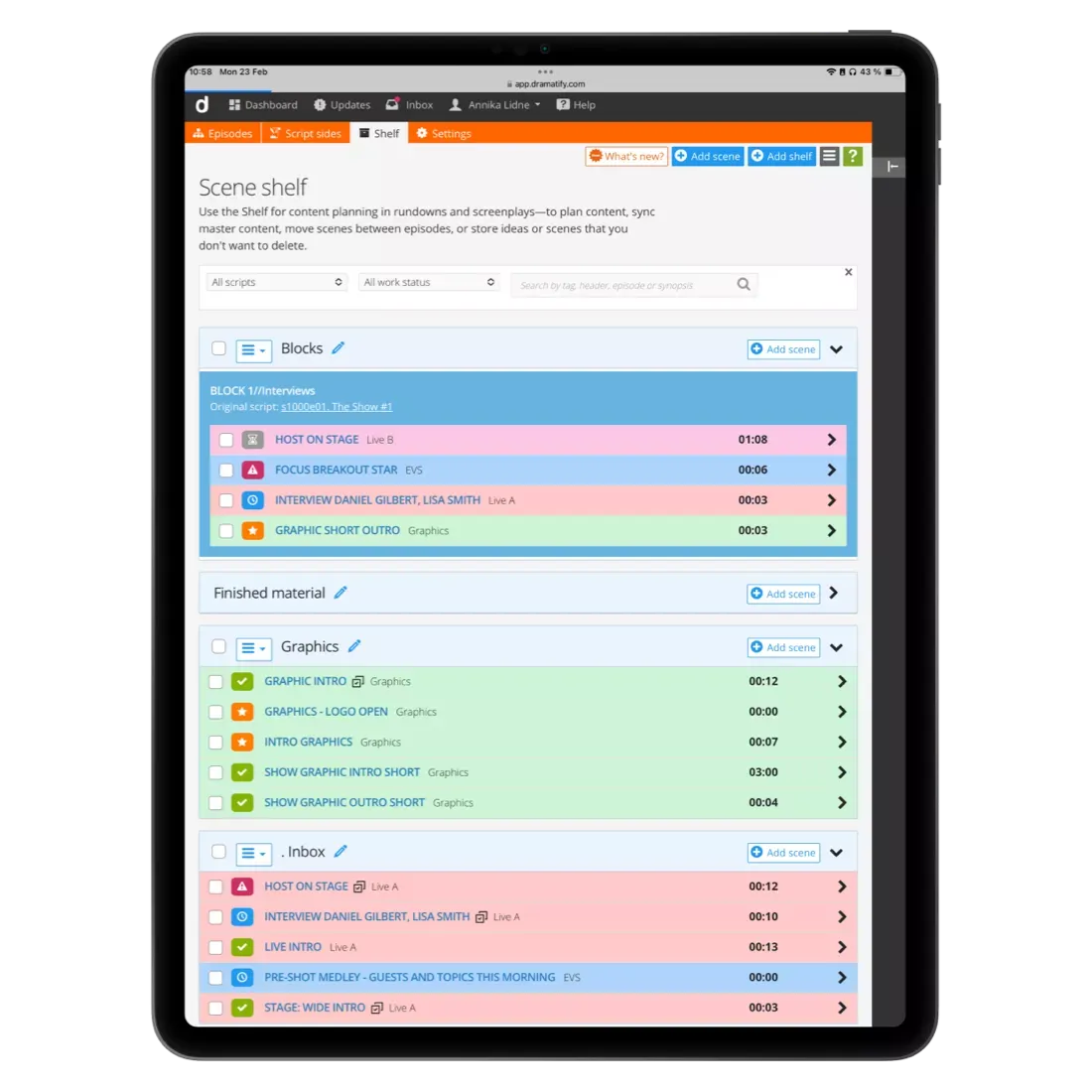
Multi-camera studio and live productions plan their content in rundowns. Dramatify's rundowns include 5 views for different team roles and uses, from fast rundown outlining for production coordinators to camera cards for camera operators during shooting.
Optionally, the AI Rundown Assistant can draft a first outline from content prompts, show length, breaks and key segments, as well as help with writing and editing. The same rundown follows the show from planning through rehearsals to live broadcast.
For larger productions, the Story Shelf works as an editorial planner. Scenes, segments and blocks can be planned, stored and synced before they have a place in an episode or rundown, then moved between episodes, rundowns and days as plans change. It scales from a drama series to literally Olympic-sized sports coverage.
Crewing Up and Resource Booking
As pre-production gathers pace, the team grows. Line producers, production managers, ADs and heads of department come on board, followed by the wider crew.
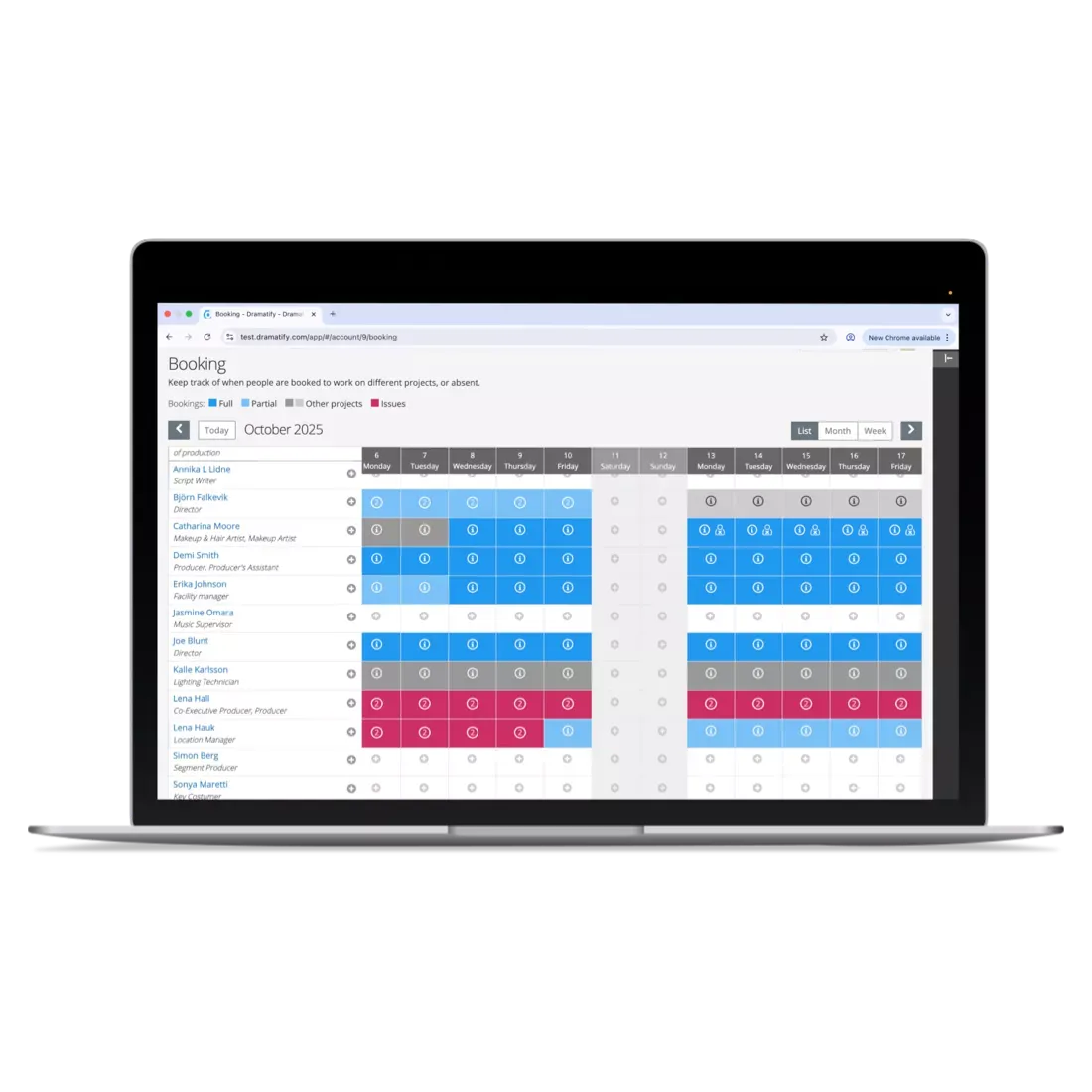
Dramatify's cast and crew management keeps interactive team lists with roles and access rights, with one-click addition for people in your company and network. For production companies and broadcasters running several productions at once, company-wide resource booking shows who is available, booked or on leave across every project, so you can avoid double bookings before they happen.
Available crew can also be matched with available assets, such as vehicles, studios or editing suites, so people and facilities are booked together. Learn more about asset management.
Cast and Character Management
-
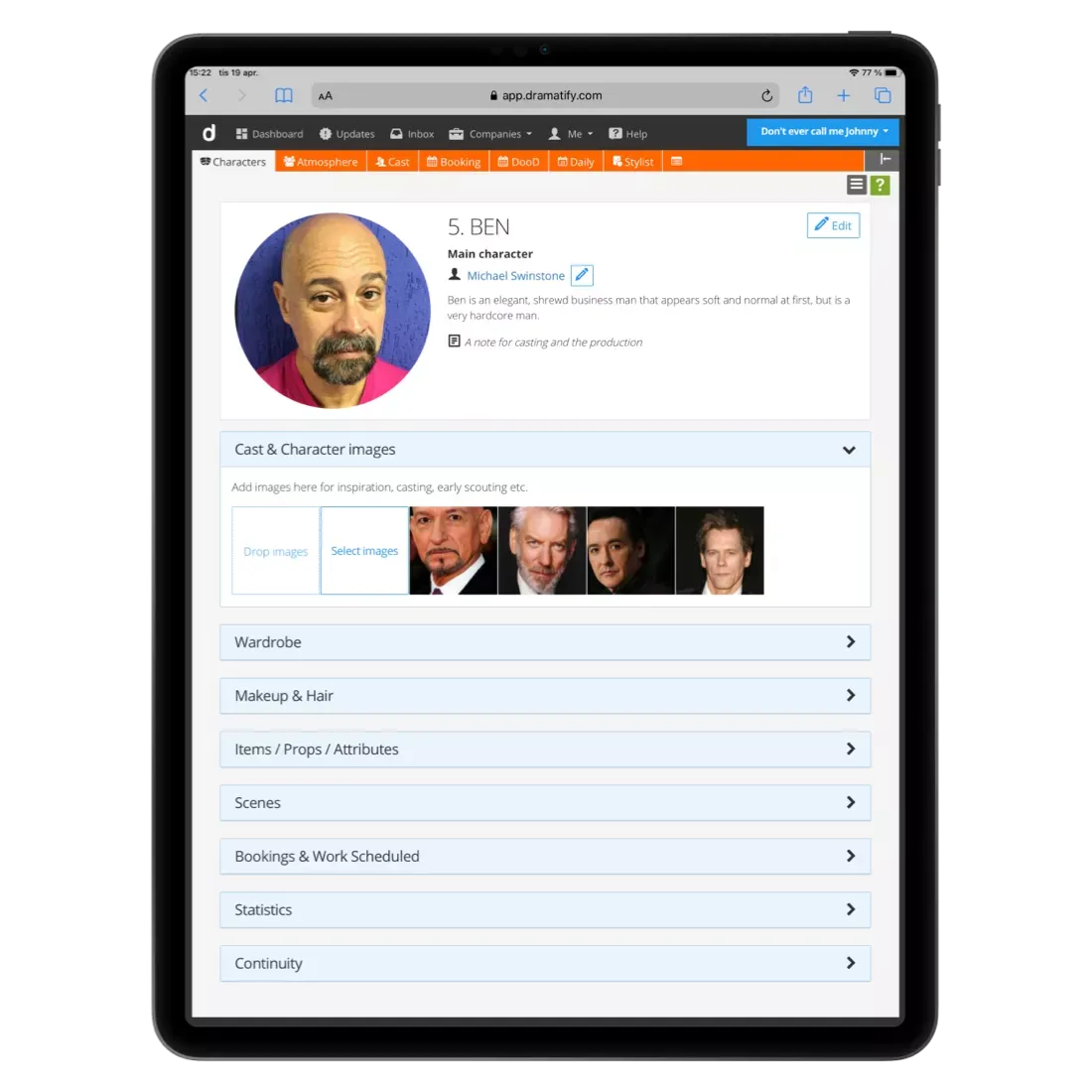
For drama and fiction, cast availability shapes much of the shooting schedule. Dramatify creates character lists automatically from your script or during breakdown, then you link actors to characters during casting.
-
For non-fiction productions, cast lists are adapted for cast appearing as themselves, with the correct categories for entertainment, talk shows, factuals, current affairs and sports.
Schedule cast with colour-coded availability, scheduled dates and bookings, automatic booking sheets ready to send to agents, and automatic Day Out of Days reports, smart daily cast schedules, automatic cast calls and stylists' schedules. Background actors, stunt performers and cast groups can all be managed in the same place.
Locations, Sets and Scenography
Location scouting and set design start early and involve many departments.
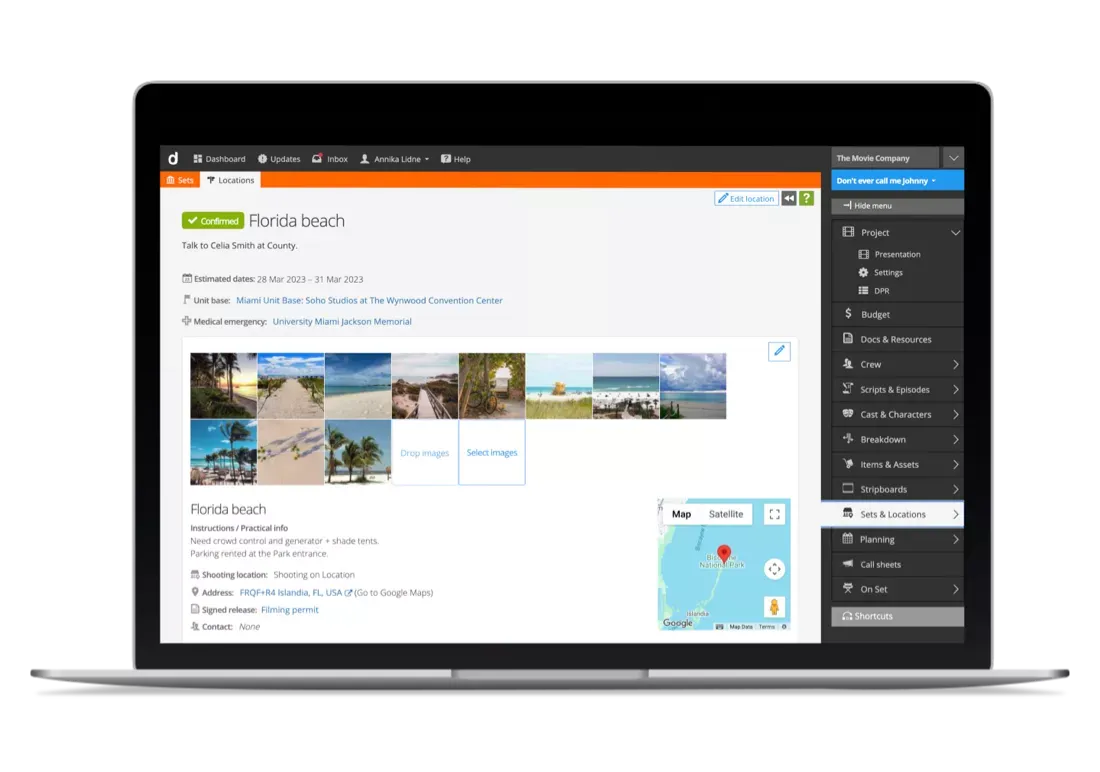
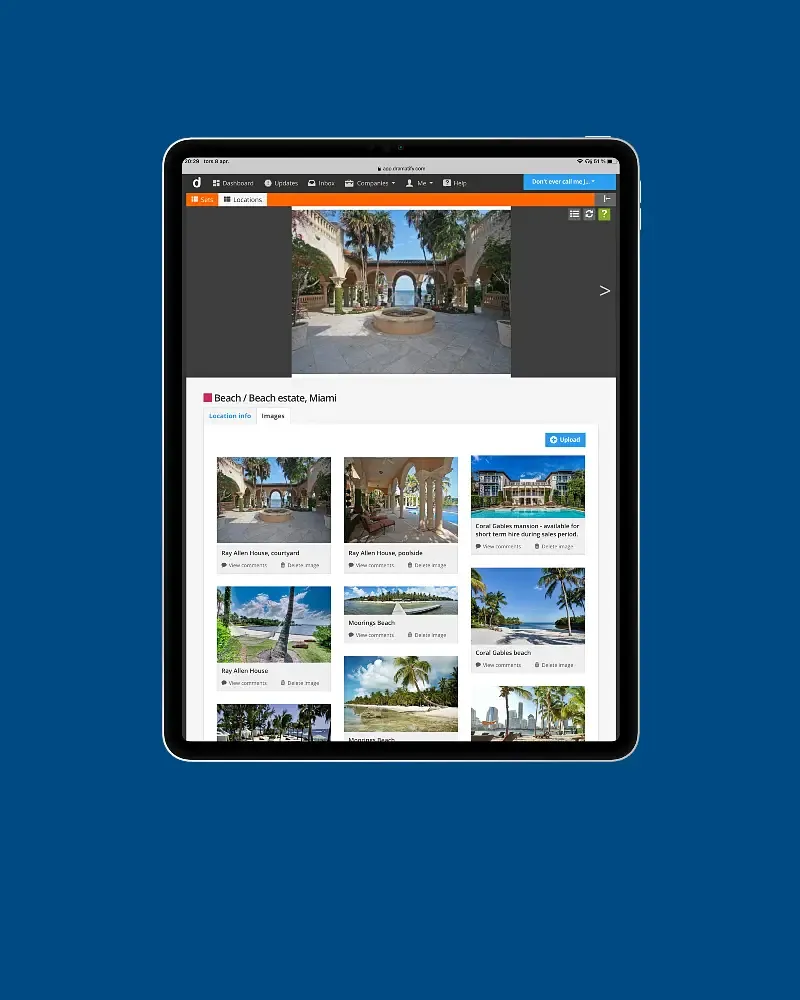
Dramatify's location management gives every location its own page with images, maps, legal information and location alternatives. Once a location is linked to a shooting day, the call sheet includes an automatic weather report for it. The company-wide Location Bank means scouted locations are not lost when one production ends.
For studio productions and builds, Set Design and Scenography connects set lists, images, props and 3D files to the scenes that use them.
Wardrobe, Makeup and Hair Preparation
Costume fittings and makeup tests belong to pre-production.
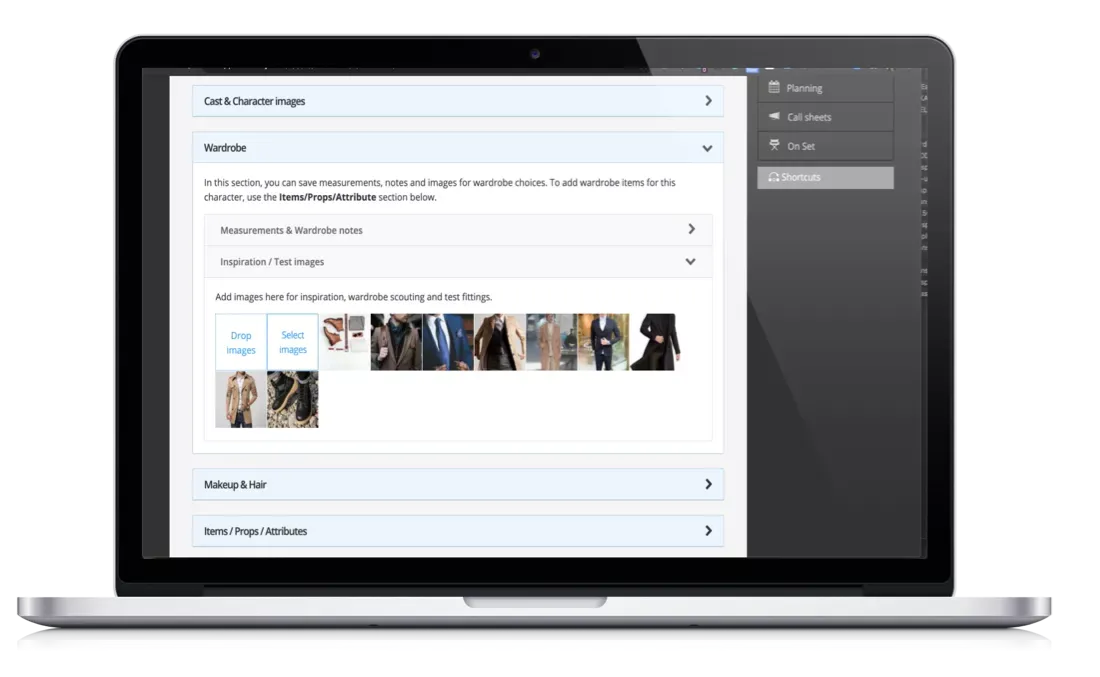
Wardrobe keeps inspiration images, measurements, costume changes and continuity in one place.
Makeup and hair covers looks, makeup charts and continuity, and stylists' schedules are generated automatically from the daily cast schedule, with alerts for double bookings.
Rehearsals and Rehearsal Mode
Rehearsals are the final preparation before shooting or transmission: table reads, actor rehearsals, camera tests and technical rehearsals, where lighting, sound, graphics and camera teams test every cue.
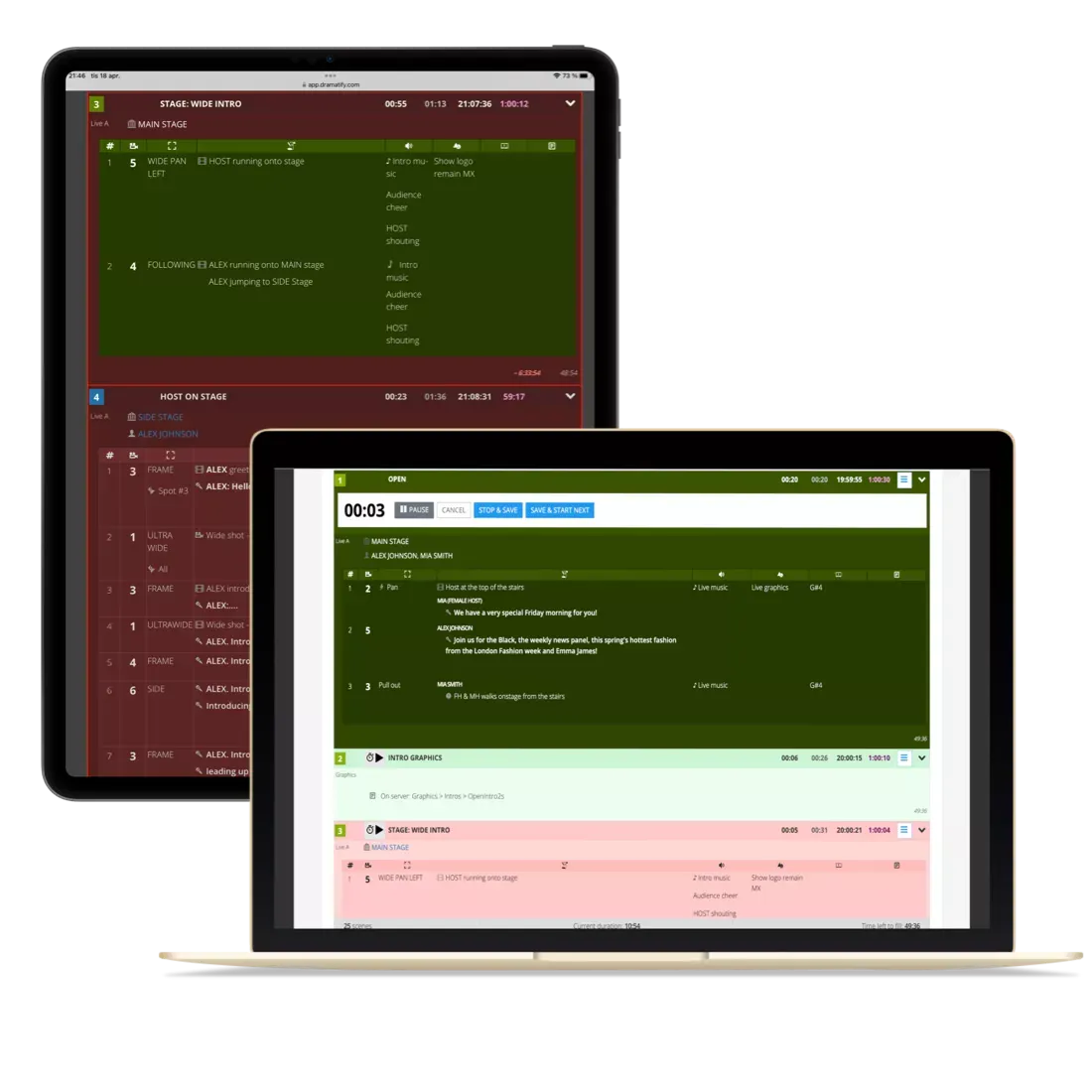
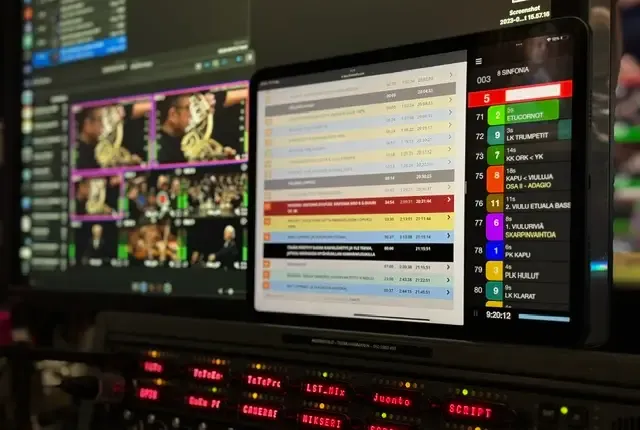
For live and multi-camera productions, Dramatify's rundowns include a dedicated Rehearsal mode, built for both technical and creative rehearsals. Pause, reset, stop and save between run-throughs while timings stay accurate for the next one. Segment timings adjust automatically with over- and underrun warnings, and the whole crew follows the same rundown in sync on their own devices, with integrations for CuePilot, teleprompters and MOS.
Timing issues found in rehearsal feed straight back into the rundown, so the show goes live from the version that actually worked.
The Pre-Production Meeting (PPM)
The pre-production meeting brings key creatives, heads of department and the client or commissioner together to walk through the plan and sign it off. A typical PPM goes department by department through the schedule, locations, cast, wardrobe and makeup looks, props, technical requirements and safety. For commercials and branded content, it is often where the client gives final approval before the shoot.
In Dramatify, the PPM can be planned in the Day Planner, and everyone joins with the same up-to-date breakdown, schedule and rundown on their own device, instead of a printed pack that is out of date by the next morning.
Handing Over to Production
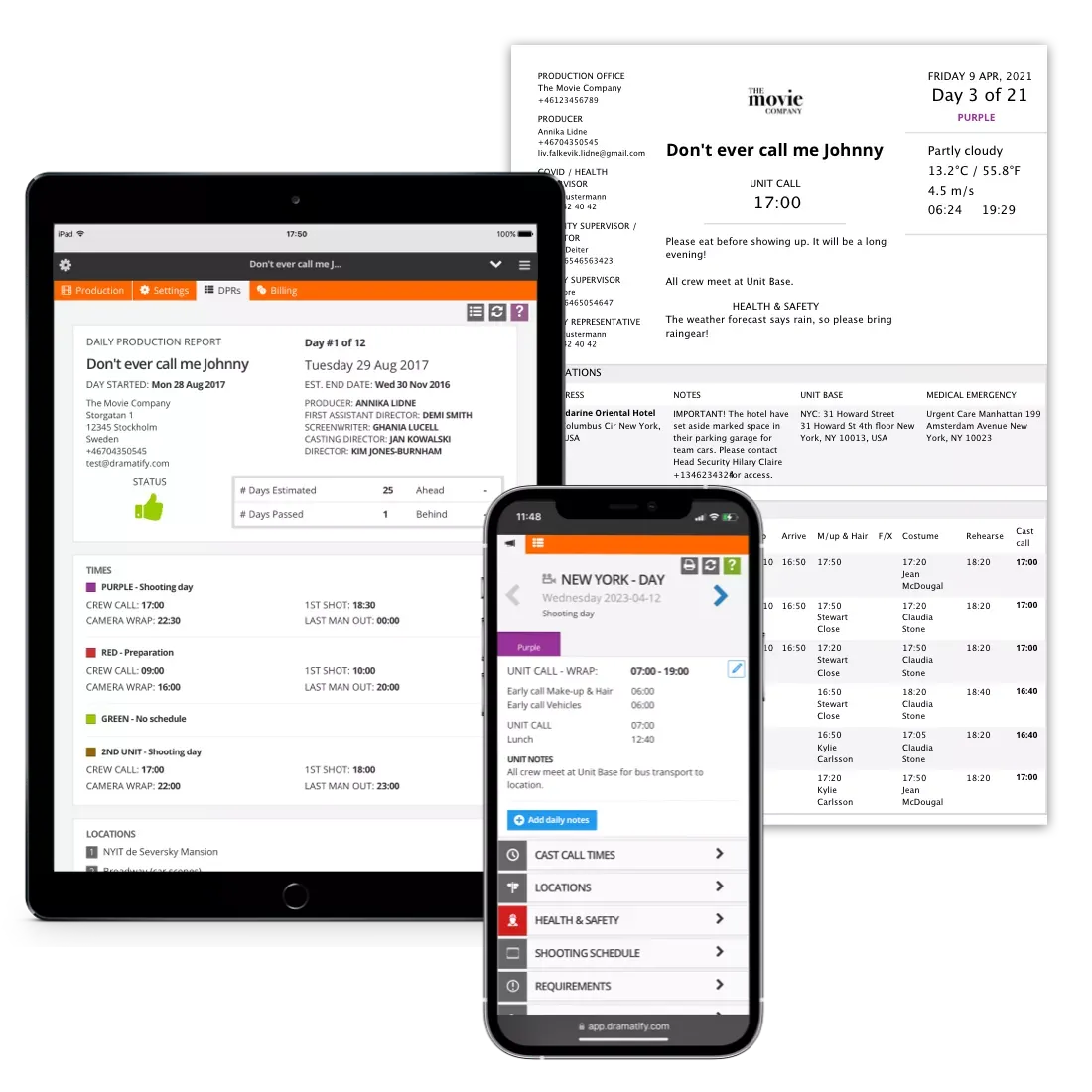
In many workflows, pre-production ends with documents that someone has to retype into new templates. In Dramatify, the planning data carries straight over into production. Call sheets almost write themselves from schedules, locations and scripts. Time sheets, catering lists and Daily Production Reports follow automatically, so nothing planned is lost in the handover.
Pre-Production at Scale
Broadcasters have used Dramatify for the pre-production of multi-channel sports events and long-running entertainment formats. That includes the Winter Olympics, with a record-setting 900+ hours across TV, VOD, YouTube and radio, and the FIFA World Cup. Dramatify has also hosted six seasons of a Nordic Eurovision qualifier and the international talent format The Voice. Each involved months of planning with teams in several locations.
Pre-Production Checklist
Use this checklist to make sure nothing slips before the first shooting day or transmission.
- Script, treatment or rundown structure locked
- Script breakdown complete and shared with departments
- Budget approved, with a contingency
- Key crew and heads of department hired
- Cast booked, with availability and Day Out of Days confirmed
- Locations scouted, cleared and permitted
- Sets designed and build scheduled
- Wardrobe fittings and makeup tests done
- Equipment and facilities booked
- Production calendar and shooting schedule published
- Rehearsals and technical rehearsals planned
- Pre-production meeting held and signed off
- First call sheet ready
Frequently Asked Questions
What does pre-production mean?
Pre-production means all the planning and preparation done before a film, TV show, video or broadcast is shot or transmitted. It covers the script, budget, crew, cast, locations and schedule.
What are the stages of pre-production?
The main stages are greenlight with a budget level, script or rundown lock, breakdown, a production plan and rough schedule, the detailed budget, crewing and casting, locations, sets and creative department preparation, final scheduling, and rehearsals with a pre-production meeting.
How long does pre-production take?
It depends on the format. A feature film or drama series may need several months. A commercial may need a few weeks. A daily talk show can plan the next episode in a few hours.
What is the difference between pre-production and production?
Pre-production is planning and preparation. Production is the shooting, recording or live transmission itself.
What is a pre-production meeting (PPM)?
A PPM is a meeting where key creatives, heads of department and often the client or commissioner walk through the production plan and sign it off before shooting begins.
Who is involved in pre-production?
Typically the producer, line producer, production manager, director, first AD, production coordinator, casting director and heads of department such as production design, wardrobe and makeup.
What is pre-production software?
Pre-production software helps teams plan a production in one place: script breakdown, budgeting, crew and cast booking, locations and scheduling. Dramatify also connects that plan to call sheets, rundowns and daily production reports.
Does Dramatify use AI in pre-production?
Yes, for selected tasks only. AI Script Breakdown suggests breakdown tags, the AI Rundown Assistant drafts rundown outlines, and AI Show Developer supports show development. Your team stays in control and reviews every suggestion. Your IP stays safe too: as explained on our AI Services page, none of your scripts or data are used to train AI models.
More Integrated Features for Pre-Production
Check out the features that connect your pre-production with the rest of your production.
Script Breakdown
Smart script breakdown, including optional AI and partial access for creative departments.
Learn more »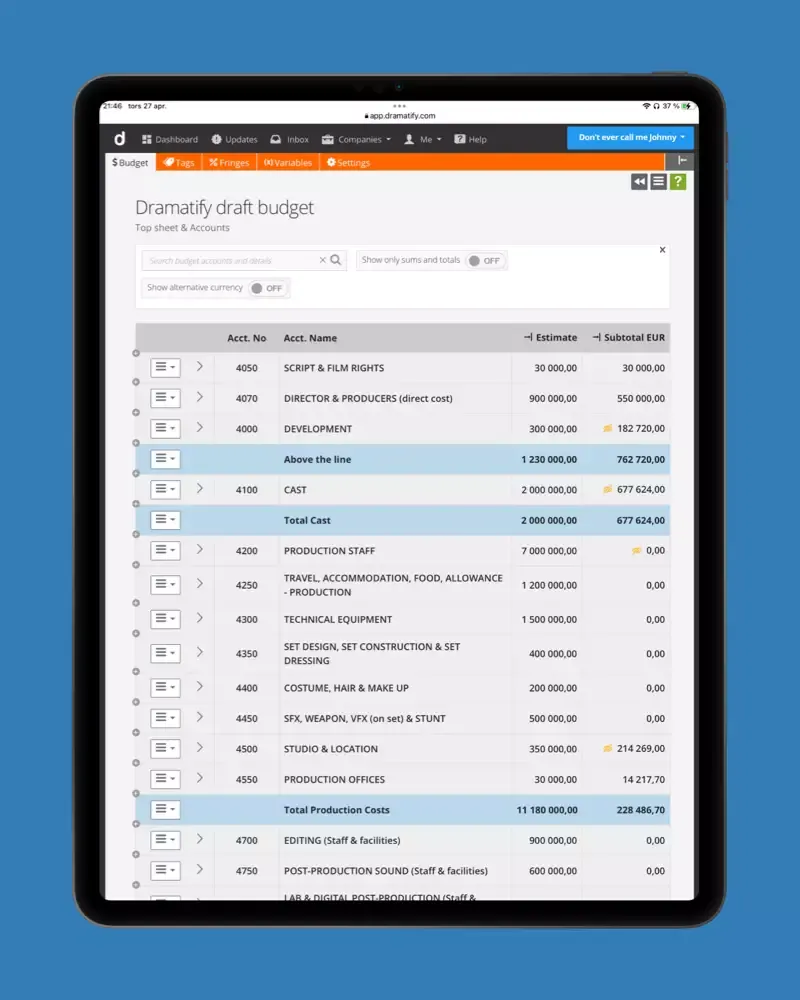
Production Budgeting
Integrated budgeting with tags, cost specifications, templates and Movie Magic import.
Learn more »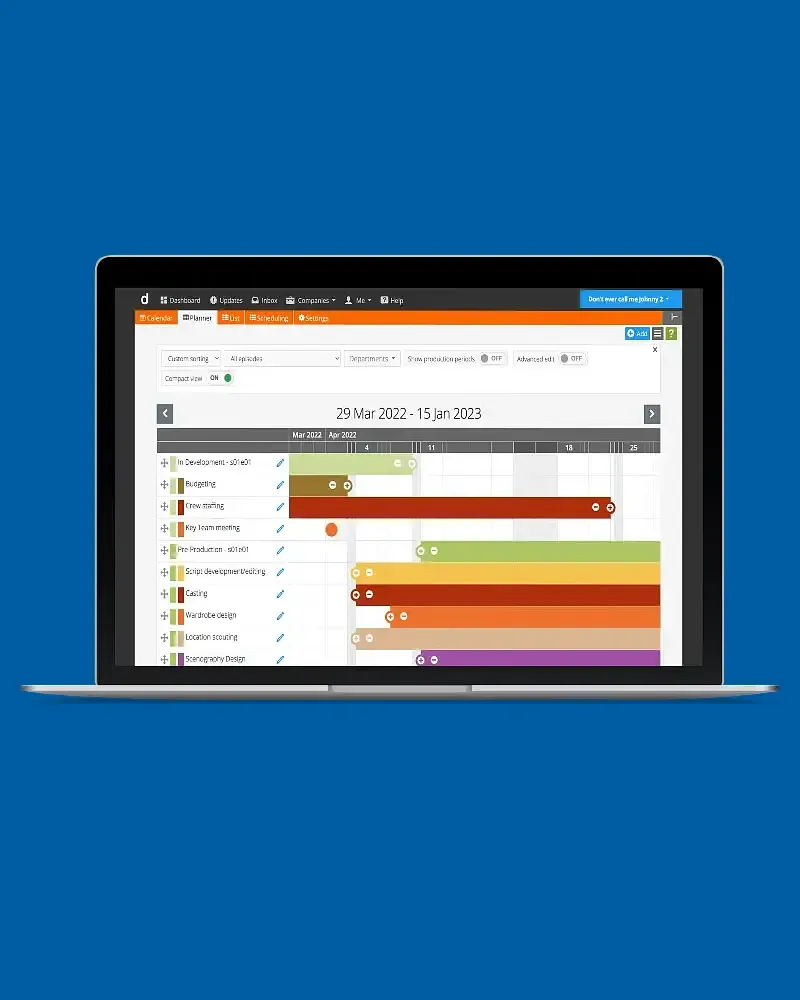
Locations
Location pages, a company-wide Location Bank and automatic weather in call sheets.
Learn more »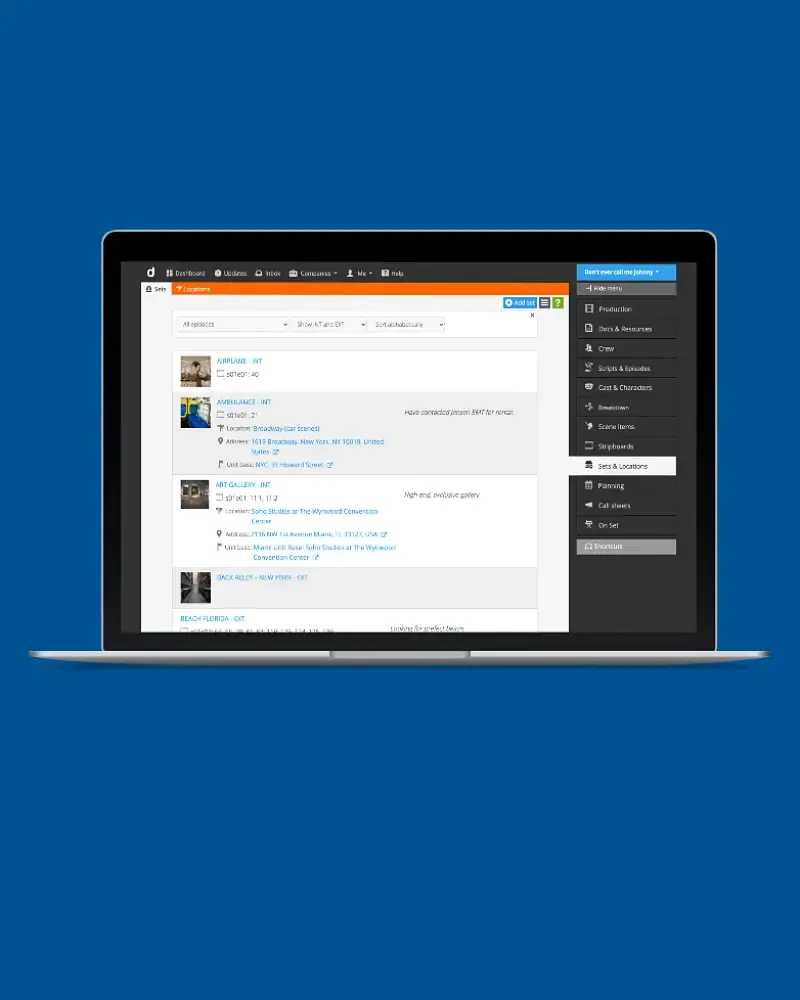
Sets & Scenography
Set lists, images, props and 3D files linked to the scenes that use them.
Learn more »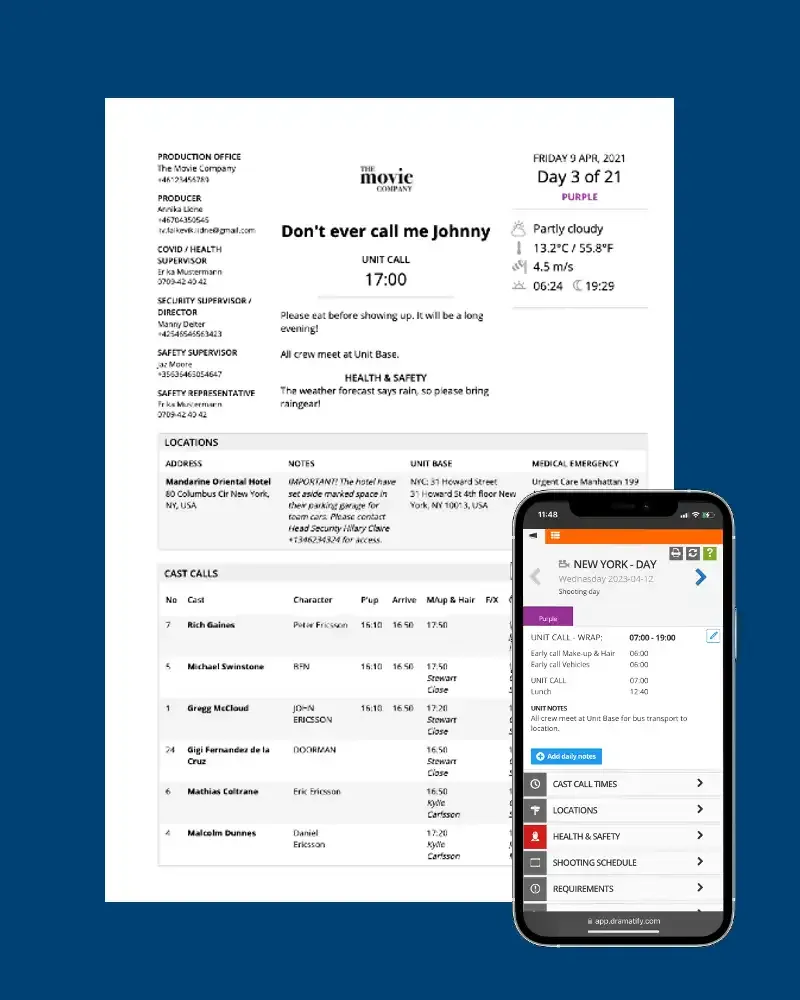
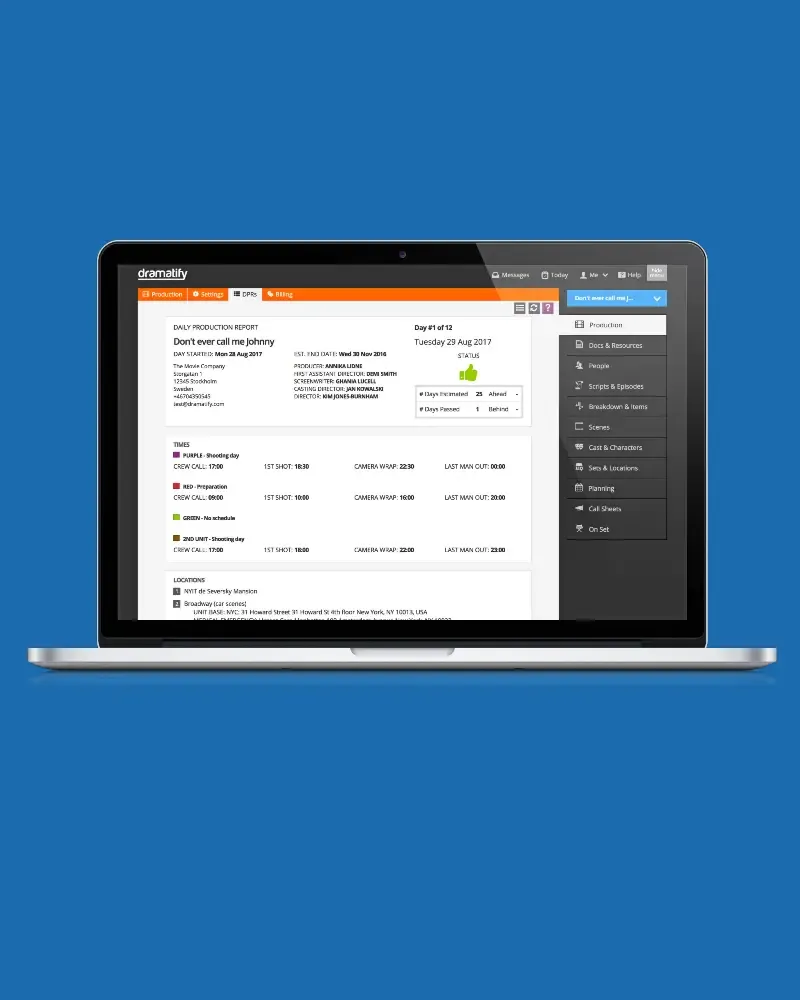
Daily Production Reports
DPRs compiled automatically from call sheets, time sheets and the day's shooting.
Learn more »
All features
Learn more about all of Dramatify's features to super-charge your productions!
Learn more »