Three New Workflow Improvements Requested by Production Teams
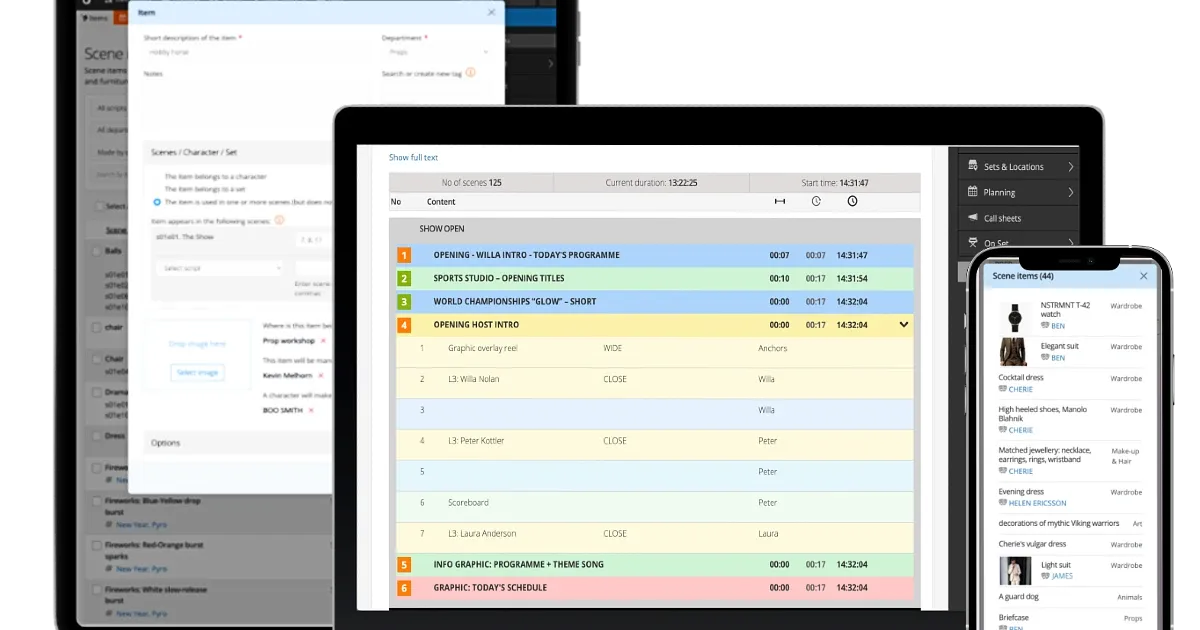
Live productions demand speed. Studio productions demand organisation. Our latest Dramatify update introduces new workflow improvements requested by broadcasters and production companies producing everything from live sports to daily children’s television. The result is more flexible rundowns, better scene item management and digital call sheets that put the right information exactly where production teams need it.
More flexible rundowns for live productions
Live sports productions frequently need different shots within the same segment to come from different technical sources. Until now, sources could only be assigned at scene or segment level.
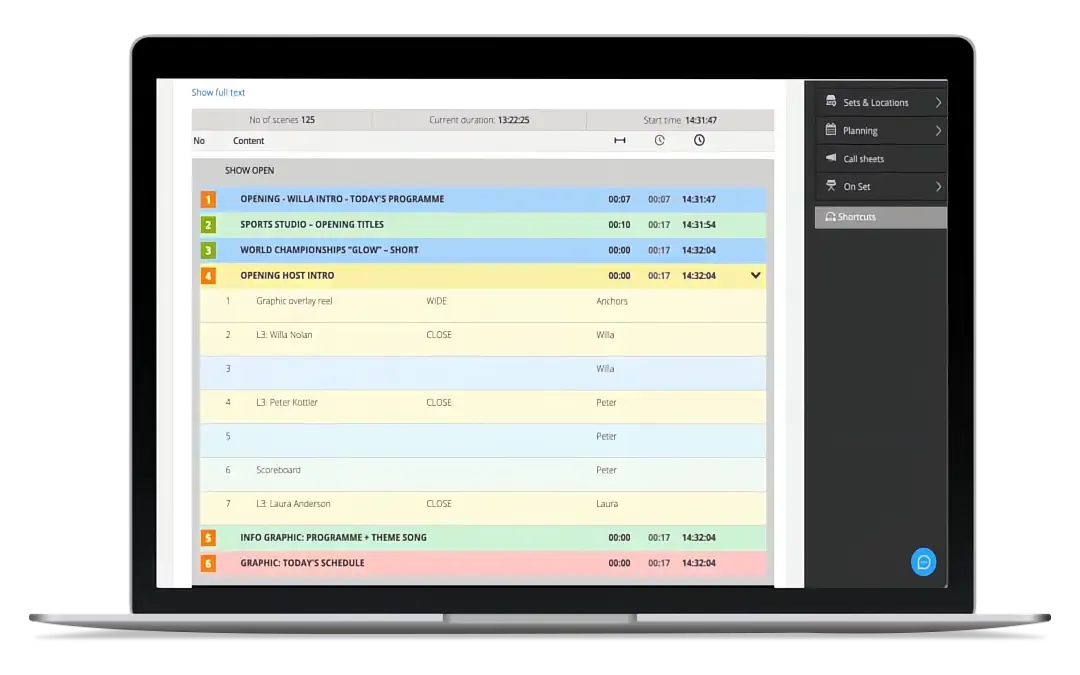
The new rundown compact view for directors and gallery staff with optional sources on individual shots.
Set sources on individual shots
You can now assign a source to individual shots instead of only to the scene or segment. This gives production teams much greater flexibility when planning sports and other complex live productions.
Built for multi-source live production
Live galleries often work with multiple replay operators and graphics systems.
Alongside per-shot sources, we’ve also added three new source types: EVS2, EVS3, and Paint, making technical planning even more accurate for sports and other live productions.
A new Compact View
Not everyone needs every detail in a rundown.
The new Compact View is a live-enabled, read-only view that displays only the information your production wants operators to see. Each production can configure up to three columns, creating a clean, highly readable display that’s ideal for galleries, control rooms and other fast-paced production environments.
Better control of scene items
Children’s programmes, cooking shows, DIY formats and educational productions often involve hundreds of physical items that need to be made, stored and available for specific scenes.
To simplify that workflow, we’ve expanded Scene Items with three new information fields, available both directly in the production breakdown and in the Scene Items module.

Know where every item is
Items can now include a Storage Location, making it much easier for departments to locate props and production materials when they’re needed.
Track who builds each item
The new Manufactured by field lets productions assign responsibility to the crew member creating an item.
Track on-screen creation
Many productions include scenes where presenters or characters build, paint, cook or assemble something as part of the story.
The new Made on-screen by field identifies which character creates the item during the scene, making it especially useful for children’s television, home improvement and lifestyle productions.
All three fields can also be used for filtering, making it easier to locate items throughout production.
Scene items directly in Digital Call Sheets
The Scene Items improvements also extend to Digital Call Sheets.
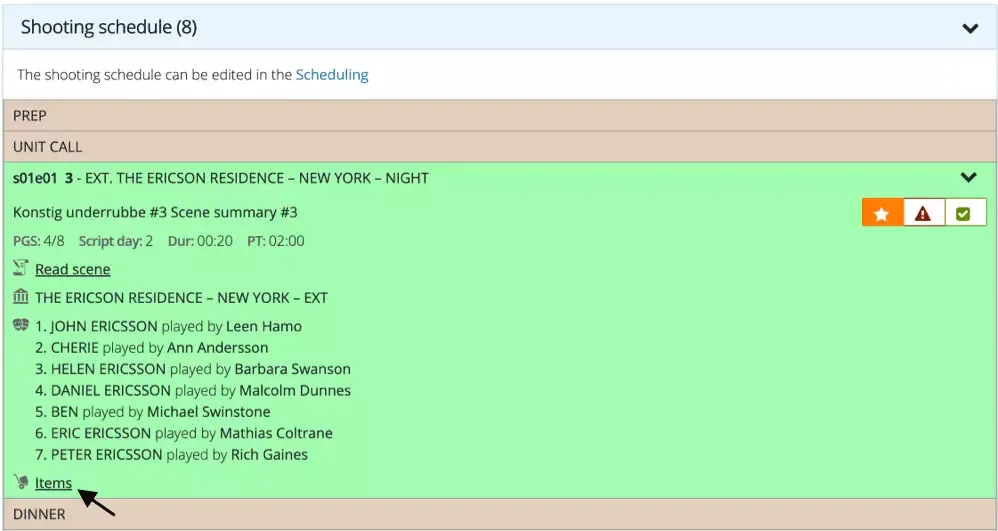
Every scene in a digital call sheet now includes a popup showing all items required for that scene. Instead of checking separate reports or prop lists, departments can immediately confirm that everything needed for the next scene is ready before cameras roll.
Developed together with production teams
These improvements originated from two very different production environments.
A national public sports broadcaster requested more flexible rundown workflows for sports and other complex live productions.
A children’s television department wanted better ways to manage props and on-screen creations across daily studio productions.
Different genres. Different challenges.
The result is a collection of practical improvements that benefit broadcasters and production companies across live entertainment, sport, factual programming and studio production alike.